Freelancer Automation: Save 15 Hours Weekly by 2026

Anúncios
Unlocking Efficiency: How US Freelancers Can Leverage Advanced Automation Tools to Save 15 Hours Weekly by 2026
The freelance economy in the United States is booming, offering unparalleled freedom and flexibility. However, with this freedom comes the immense responsibility of managing every aspect of your business – from client acquisition and project delivery to invoicing and marketing. The sheer volume of administrative tasks can quickly erode the very benefits that drew many to freelancing in the first place. Imagine reclaiming 15 hours every single week. What would you do with that extra time? More client work? Skill development? Or simply more personal time? For US freelancers, this isn’t a pipe dream; it’s an achievable reality through the strategic implementation of advanced freelancer automation tools.
By 2026, the landscape of freelance work will be even more competitive and technology-driven. Those who embrace automation early will not only survive but thrive, creating more sustainable and profitable businesses. This comprehensive guide will delve deep into the world of automation for freelancers, exploring the ‘why,’ ‘what,’ and ‘how’ to help you significantly boost your productivity and reclaim valuable time.
Anúncios
The Freelance Time Sink: Why Automation is No Longer Optional
Before we dive into solutions, let’s acknowledge the problem. Freelancers often wear multiple hats – CEO, marketing director, sales rep, accountant, and project manager, all while also being the primary service provider. This multi-faceted role, while empowering, is also incredibly time-consuming. Common time sinks include:
- Administrative Tasks: Invoicing, expense tracking, email management, scheduling, contract generation, and client onboarding/offboarding.
- Communication Overload: Responding to emails, managing social media inquiries, client updates, and internal team communications if you outsource.
- Marketing and Sales: Lead generation, proposal writing, social media posting, content creation distribution, and portfolio updates.
- Project Management: Task assignment, progress tracking, feedback loops, and file organization.
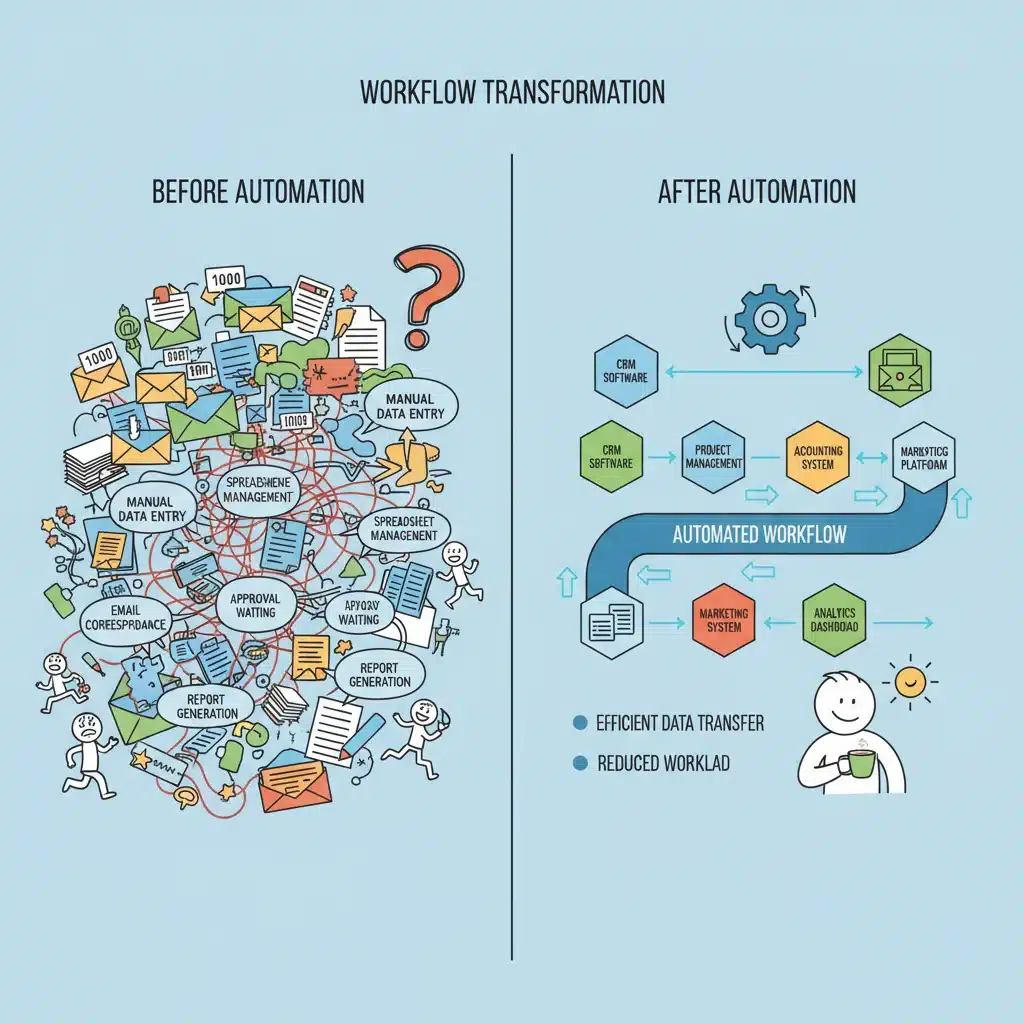
- Repetitive Manual Work: Data entry, copying information between platforms, and routine reporting.
These tasks, while essential, are often repetitive and can be significant drains on your billable hours. The average freelancer spends a substantial portion of their week on non-billable activities. By leveraging freelancer automation tools, you can transform these time-consuming chores into efficient, hands-off processes, freeing you up to focus on high-value work that directly impacts your income and client satisfaction.
Anúncios
Understanding the Power of Freelancer Automation Tools
At its core, automation involves using technology to perform tasks with minimal human intervention. For freelancers, this means setting up systems that handle routine, rule-based operations, allowing you to scale your efforts without necessarily scaling your time investment. The beauty of modern automation lies in its accessibility and affordability, with many powerful tools available even for solo entrepreneurs.
What Can Be Automated?
Virtually any repetitive task that follows a predictable pattern can be automated. This includes, but is not limited to:
- Email Management: Auto-responders, email sorting, follow-up sequences.
- Scheduling: Automated booking, calendar synchronization, meeting reminders.
- Social Media: Content scheduling, cross-posting, basic engagement.
- Invoicing and Payments: Automatic invoice generation, payment reminders, expense tracking.
- Client Onboarding: Automated welcome emails, contract sending, questionnaire distribution.
- Data Entry: Transferring information between spreadsheets, CRM systems, and project management tools.
- Reporting: Generating weekly or monthly performance reports.
- File Management: Organizing and backing up files to cloud storage.
The key is to identify your biggest time drains and then seek out the appropriate freelancer automation tools to address them. Think about the tasks you dread or those that consistently push your workdays beyond reasonable hours.
Strategic Implementation: Your Roadmap to 15 Hours Saved by 2026
Saving 15 hours weekly isn’t going to happen overnight. It requires a strategic, phased approach. Here’s a roadmap to help US freelancers achieve this ambitious, yet entirely feasible, goal.
Phase 1: Audit and Identify (Current Year – 6 Months)
The first step is to understand where your time is currently going. You can’t automate what you don’t track.
- Time Tracking: For a few weeks, meticulously track every minute of your workday. Use tools like Toggl, Clockify, or even a simple spreadsheet. Categorize your activities (e.g., client work, email, invoicing, marketing, breaks).
- Identify Repetitive Tasks: Review your time logs. Which tasks appear most frequently? Which ones take up significant chunks of time but don’t directly generate income?
- Prioritize Automation Opportunities: Rank these tasks by frequency, time consumption, and complexity. Start with the ‘low-hanging fruit’ – simple, highly repetitive tasks that have clear automation solutions.
- Define Desired Outcomes: For each task, what would a successful automation look like? E.g., ‘Invoices sent automatically on the 1st of every month’ or ‘All new leads receive an introductory email within 5 minutes of inquiry.’
During this phase, aim to identify tasks that collectively consume at least 5-7 hours per week. This initial saving will build momentum for further automation.
Phase 2: Tool Selection and Initial Setup (6 Months – 1 Year)
Once you know what to automate, it’s time to choose the right freelancer automation tools.
Essential Categories of Automation Tools:
- Project Management & Task Automation: Tools like Asana, Trello, ClickUp, or Monday.com can automate task assignments, reminders, and progress updates.
- CRM & Lead Management: HubSpot CRM (free tier), Zoho CRM, or even advanced features in G Suite/Microsoft 365 can automate lead capture, follow-ups, and client communication.
- Scheduling & Calendar Management: Calendly, Acuity Scheduling, or SavvyCal eliminate back-and-forth emails for booking meetings.
- Email Marketing & Communication: Mailchimp, ConvertKit, or ActiveCampaign automate email sequences, newsletters, and segmented communication.
- Invoicing & Accounting: FreshBooks, QuickBooks Self-Employed, or Wave (free) can automate invoice generation, payment reminders, and expense tracking.
- Social Media Management: Buffer, Hootsuite, or Sprout Social automate content scheduling and cross-posting.
- Integration Platforms: Crucially, tools like Zapier, Make (formerly Integromat), or IFTTT act as the glue, connecting different apps and automating workflows between them (e.g., ‘When a new lead comes into my CRM, automatically send a welcome email via Mailchimp and create a task in Asana’). These are powerhouse freelancer automation tools.

Tips for Tool Selection:
- Start Small: Don’t try to automate everything at once. Pick 1-2 key areas.
- Read Reviews: Look for tools highly rated by other freelancers or small business owners.
- Consider Integrations: How well does the tool integrate with your existing tech stack? This is where Zapier/Make become invaluable.
- Evaluate Cost vs. Benefit: Many tools have free tiers or trials. Calculate the potential time savings against the subscription cost.
- Ease of Use: Choose tools with intuitive interfaces that won’t require a steep learning curve.
During this phase, focus on automating tasks that save an additional 3-5 hours per week, bringing your total weekly savings to around 8-12 hours.
Phase 3: Optimize and Expand (1 Year – 2 Years)
Once your initial automations are running smoothly, it’s time to refine and expand your strategy. This phase is about continuous improvement and seeking out more complex automation opportunities.
- Review and Refine: Regularly check your automated workflows. Are they working as expected? Are there bottlenecks? Can they be made more efficient?
- Explore Advanced Features: Many freelancer automation tools offer deeper functionalities you might not have explored initially. Dive into these.
- Integrate AI: Look for opportunities to incorporate AI-powered tools.
- AI Writing Assistants: Tools like Jasper or Copy.ai can generate draft content for emails, social media posts, or even blog outlines, saving hours in content creation.
- AI Chatbots: Implement chatbots on your website or social media to answer common client questions, freeing you from repetitive inquiries.
- AI for Data Analysis: AI can help quickly analyze marketing data or client feedback, providing insights faster than manual review.
- Delegate and Automate Delegation: If you work with virtual assistants or subcontractors, use automation to streamline task assignment, communication, and feedback loops.
- Batch Processing: While not strictly automation, combining similar tasks and using automated tools to process them in batches (e.g., scheduling all social media for the week in one go) significantly boosts efficiency.
By the end of this phase, with consistent effort and smart tool utilization, you should be comfortably saving 15 hours or more per week. The cumulative effect of small automations adds up to significant time freedom.
Top Freelancer Automation Tools to Consider for US Professionals
Here’s a curated list of powerful freelancer automation tools that can help you reach your 15-hour weekly saving goal by 2026. This list focuses on versatility, integration capabilities, and widespread adoption among freelancers.
1. Zapier / Make (formerly Integromat)
These are arguably the most impactful automation tools for freelancers. They act as universal connectors, allowing different web applications to ‘talk’ to each other. For example:
- Automatically add new leads from a website form to your CRM.
- When an invoice is paid in FreshBooks, automatically send a ‘thank you’ email via Gmail.
- Post new blog articles to all your social media channels simultaneously.
- Create a new project task in Asana when a client signs a contract in DocuSign.
Why they’re essential: They unlock custom workflows that are impossible with single-purpose tools, dramatically reducing manual data transfer and repetitive actions.
2. Calendly / Acuity Scheduling
Say goodbye to the endless email back-and-forth for scheduling meetings. These tools allow clients to see your real-time availability and book appointments directly into your calendar. They also send automated reminders.
- Automation Benefit: Eliminates manual scheduling, reduces no-shows, and integrates with video conferencing tools.
- Time Saved: Easily 1-2 hours per week, depending on meeting frequency.
3. FreshBooks / QuickBooks Self-Employed / Wave Accounting
These accounting platforms are designed for freelancers and small businesses. They automate:
- Invoice Generation and Sending: Set up recurring invoices for retainers.
- Payment Reminders: Automated nudges for overdue payments.
- Expense Tracking: Connect bank accounts and automatically categorize transactions.
- Tax Preparation: Generate reports that simplify tax filing.
Why they’re essential: Financial management is a huge time sink. Automating these processes ensures you get paid on time and simplifies compliance.
4. Asana / Trello / ClickUp
Project management tools are critical for organizing your work. Their automation features include:
- Task Assignment: Automatically assign tasks based on project templates.
- Reminders and Deadlines: Automated notifications for upcoming due dates.
- Workflow Automation: Move tasks through stages (e.g., ‘To Do’ to ‘In Progress’ to ‘Done’) automatically based on triggers.
- Client Portals: Some offer automated updates to clients on project progress.
Time Saved: Reduces manual tracking, communication, and ensures nothing falls through the cracks.
5. Mailchimp / ConvertKit / ActiveCampaign
Email marketing platforms are indispensable for nurturing leads and communicating with clients. Their automation features include:
- Welcome Sequences: Automatically send a series of emails to new subscribers.
- Segmented Campaigns: Deliver targeted content based on subscriber behavior.
- Abandoned Cart Reminders: (if selling products) Automated follow-ups.
- Newsletter Scheduling: Schedule content in advance.
Why they’re essential: Build client relationships and market your services on autopilot.
6. Buffer / Hootsuite / Sprout Social
Social media management tools allow you to schedule posts across multiple platforms, saving hours each week.
- Content Scheduling: Plan and schedule weeks or months of content in advance.
- Analytics: Automate reporting on social media performance.
- Content Curation: Some tools offer automated suggestions for content to share.
Time Saved: Prevents daily manual posting and helps maintain a consistent online presence.
7. LastPass / 1Password
While not directly workflow automation, password managers save an incredible amount of time by securely storing and auto-filling your login credentials. This reduces friction and wasted minutes searching for passwords.
8. G Suite (Google Workspace) / Microsoft 365 Automation
Don’t overlook the automation capabilities within your everyday productivity suites. Google Sheets can automate data analysis with formulas, Gmail can filter and auto-respond, and Google Docs can be templated for quick document generation. Microsoft Power Automate is a powerful tool for connecting Microsoft apps and external services.
Overcoming Challenges in Automation Adoption
While the benefits of freelancer automation tools are clear, implementing them isn’t always without hurdles.
- Initial Learning Curve: Many tools require an upfront investment of time to learn and set up. Start with simpler automations and gradually build complexity.
- Cost: While many tools have free tiers, advanced features often come with a subscription. View these as investments that will pay for themselves in saved time and increased earning potential.
- Over-Automation: Not everything should be automated. Personal touches in client communication, for instance, are crucial. Identify where human interaction adds significant value and preserve it.
- Integration Headaches: Sometimes, tools don’t integrate as seamlessly as advertised. This is where platforms like Zapier or Make become critical problem-solvers.
- Maintenance: Automated workflows aren’t ‘set it and forget it.’ They need periodic review and adjustment as your business evolves or as software updates occur.
The key is to approach automation with patience and a growth mindset. Each successful automation is a small victory that contributes to your larger goal of efficiency.
The Future is Automated: Staying Ahead as a US Freelancer
By 2026, the freelancers who are most successful will be those who have mastered the art of leveraging technology to their advantage. The proliferation of AI-powered freelancer automation tools means that mundane, repetitive tasks will increasingly be handled by machines, allowing human talent to focus on creativity, strategy, and complex problem-solving – areas where humans still excel.
Consider the broader implications: more time means more capacity for high-value client work, the ability to take on more projects without burnout, or the freedom to invest in new skills that keep you competitive. It also means a better work-life balance, reducing the stress often associated with the demanding nature of freelancing.
Proactive Steps for Long-Term Automation Success:
- Stay Informed: Follow tech blogs, join freelancer communities, and attend webinars to keep abreast of new automation tools and strategies.
- Experiment Regularly: Dedicate a small amount of time each month to experiment with a new tool or automate a new small task.
- Document Your Workflows: Create simple documentation for your automated processes. This helps with troubleshooting and ensures continuity if you ever bring on help.
- Seek Feedback: Ask clients or colleagues if they notice any improvements in your efficiency or communication due to automation.
- Prioritize Security: Ensure any automation tools you use adhere to strong security protocols, especially when handling client data or financial information.
Conclusion: Reclaim Your Time, Boost Your Business
The goal of saving 15 hours weekly by 2026 through the intelligent use of freelancer automation tools is not merely about working less; it’s about working smarter. It’s about optimizing your business operations so that you can dedicate your precious time and energy to what truly matters: delivering exceptional value to your clients, developing your skills, and enjoying the lifestyle that freelancing promises.
Start today by auditing your time, identifying those repetitive tasks, and gradually integrating automation into your workflow. The investment of time and effort now will yield exponential returns in the years to come, positioning you as a highly efficient, competitive, and successful US freelancer in the evolving digital landscape. Embrace the future of work – embrace automation.