Automate Tasks in 2025: Save 10 Hours Weekly with Software

By strategically adopting productivity software to automate repetitive tasks, individuals and teams can realistically save 10 hours each week, enhancing efficiency and allowing for greater focus on high-value work.
Are you constantly feeling swamped by mundane, recurring chores that eat into your valuable work hours? Imagine reclaiming a significant portion of your week, perhaps ten hours or even more, to dedicate to strategic thinking, creative projects, or simply a better work-life balance. This is not a distant dream but an achievable reality in 2025, thanks to the continuous evolution of productivity software designed to help you automate repetitive tasks. This comprehensive guide will walk you through the essential strategies and tools to transform your workflow, making inefficiency a relic of the past and paving the way for a more productive and fulfilling professional life.
Understanding the need for automation in 2025
The modern work landscape, especially for remote professionals and digital nomads, is characterized by an ever-increasing demand for efficiency and adaptability. In 2025, the sheer volume of digital tasks can be overwhelming, leading to burnout and decreased output if not managed effectively. Many of these tasks are predictable, rule-based, and, crucially, repetitive, making them prime candidates for automation. Ignoring this potential for streamlining is akin to leaving money on the table; it’s a missed opportunity for significant time savings and enhanced productivity.
The imperative to automate goes beyond just saving time. It’s about optimizing mental energy, reducing human error, and creating a more resilient workflow. When machines handle the routine, your cognitive resources are freed up for problem-solving, innovation, and strategic decision-making – activities that truly move the needle. This shift is particularly critical for those juggling multiple client projects, managing complex finances, or simply striving to maintain focus in a distraction-rich environment. Embracing automation is no longer an advantage; it’s a necessity for thriving in the contemporary professional sphere.
Ultimately, understanding the need for automation means recognizing that your time is your most valuable asset. Every minute spent on a task that a machine could do is a minute lost from higher-impact work or personal enrichment. The tools and techniques available today are more powerful and accessible than ever before, making 2025 the ideal time to seriously invest in automating your daily grind and unlocking substantial weekly time savings.
Identifying repetitive tasks ripe for automation
Before you can automate, you must first identify what tasks are actually repetitive and suitable for automation. This step is foundational, as not all recurring tasks are good candidates. The best tasks for automation are those that are predictable, rule-based, occur frequently, and consume a noticeable amount of your time. Start by keeping a detailed log of your activities for a week or two, noting down every task, its frequency, and the time it takes.
Look for patterns in your daily or weekly routines. Are there specific reports you generate every Monday? Do you send similar follow-up emails after every meeting? Are you manually transferring data between different applications? These are clear signals. Once identified, categorize these tasks by their complexity and the tools you currently use. This analysis will help you prioritize which tasks to automate first, focusing on those that offer the quickest wins and most significant time savings.
Common areas for task identification
- Data Entry and Management: Moving information between spreadsheets, CRM systems, or databases.
- Email Management: Sending routine replies, sorting emails into folders, or scheduling follow-ups.
- Report Generation: Compiling data from various sources into weekly or monthly reports.
- Social Media Scheduling: Posting content across multiple platforms at specific times.
A thorough audit of your workflow will reveal numerous opportunities. Don’t underestimate the cumulative impact of automating even small, seemingly insignificant tasks. Over a week, these minutes add up to hours, and over a month, they can free up entire days. Prioritize tasks that are not only repetitive but also prone to human error, as automation can significantly improve accuracy and consistency.
Choosing the right productivity software for automation
Selecting the appropriate productivity software is crucial for successful automation. The market is saturated with options, each designed for different needs and levels of technical expertise. Your choice should align with the specific tasks you’ve identified, your budget, and the existing tools in your tech stack. It’s not about finding the most feature-rich software, but the one that best solves your particular automation challenges and integrates seamlessly into your workflow.
Consider solutions that offer intuitive interfaces and robust integration capabilities. Many modern automation tools are no-code or low-code, meaning you don’t need programming skills to set up complex workflows. Look for platforms that provide templates for common automations, as these can significantly speed up the implementation process. Customer support and a strong user community are also valuable, as they can provide guidance and solutions when you encounter challenges.
Key software categories and examples
- Workflow Automation Platforms: Tools like Zapier, Make (formerly Integromat), and IFTTT allow you to connect different apps and create automated workflows (e.g., ‘when I get a new email in Gmail, create a task in Asana’).
- Robotic Process Automation (RPA) Tools: For more complex, desktop-based repetitive tasks, RPA solutions such as UiPath or Automation Anywhere can mimic human interactions with software interfaces.
- Email Automation: Platforms like ConvertKit, Mailchimp, or ActiveCampaign automate email sequences, newsletters, and lead nurturing.
- Project Management Tools with Automation: Asana, Trello, and Monday.com often include built-in automation rules to manage task assignments, deadlines, and notifications.
Start with a trial period if available, and experiment with a few options to see which one feels most comfortable and effective for your specific needs. The goal is to find a tool that empowers you to create efficient automations without adding new layers of complexity to your work. A well-chosen platform will be a game-changer in your quest to save those precious 10 hours per week.
Implementing and optimizing your automation workflows
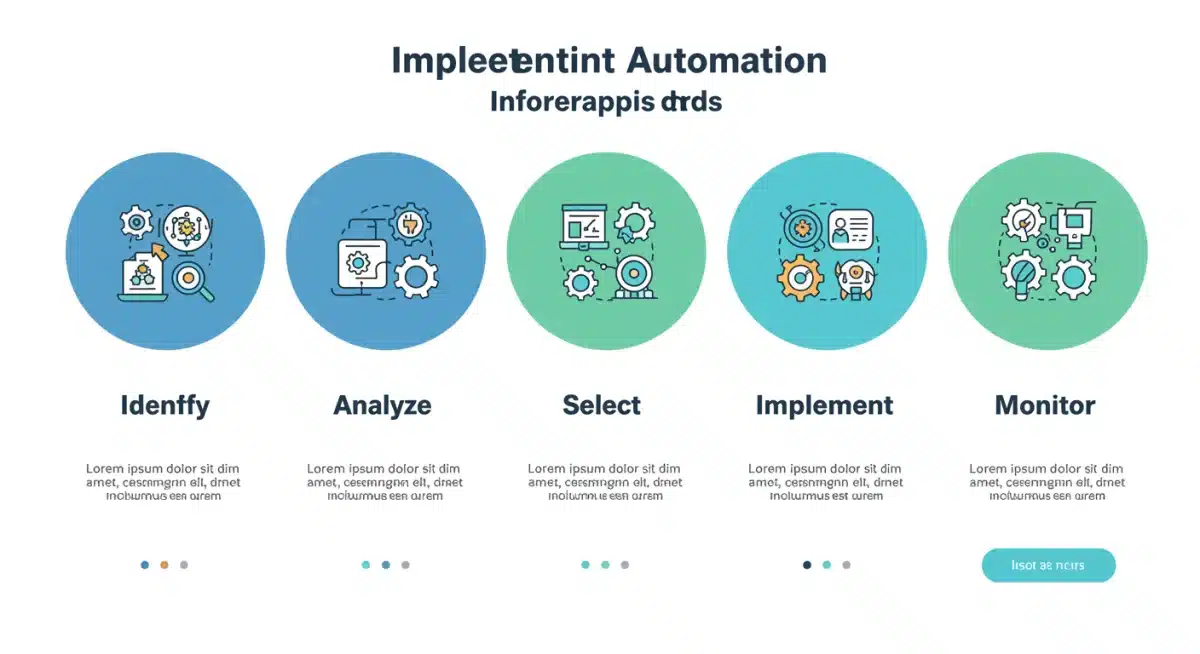
Once you’ve identified your repetitive tasks and selected the right software, the next step is to implement and continuously optimize your automation workflows. Implementation involves setting up the triggers and actions within your chosen automation tool. Start small, with one or two high-impact tasks, to build confidence and learn the platform’s intricacies. Documenting your workflows as you build them can be incredibly helpful for troubleshooting and future modifications.
After initial setup, the real work of optimization begins. Automation is not a ‘set it and forget it’ solution. Regularly review your automated processes to ensure they are still performing as expected and delivering the intended time savings. Look for opportunities to refine triggers, add conditional logic, or integrate additional steps to make the workflow even more robust. As your needs evolve and new software features emerge, your automations should adapt accordingly.
Tips for effective implementation and optimization
- Start Simple: Begin with straightforward automations that have clear triggers and actions.
- Test Thoroughly: Before fully deploying, run multiple tests to ensure the workflow functions correctly under various scenarios.
- Monitor Performance: Keep an eye on your automated tasks. Are they saving time? Are there any errors?
- Seek Feedback: If your automations impact team members, gather their feedback to identify areas for improvement.
Optimization also involves staying informed about updates to your chosen software and exploring new integrations. The landscape of productivity tools is constantly changing, and what might be a manual step today could be easily automated tomorrow. By actively managing and refining your automation workflows, you ensure they remain efficient and continue to contribute significantly to your goal of saving 10 hours per week.
Measuring impact and scaling automation efforts
After implementing your initial automation workflows, it’s vital to measure their impact and identify opportunities to scale your efforts. Measuring impact isn’t just about feeling more productive; it’s about quantifying the time saved and the reduction in errors. Keep a log or use time-tracking tools to compare the time spent on a task before and after automation. This data will provide concrete evidence of the benefits and help justify further investment in automation.
Scaling automation involves looking beyond individual tasks to entire processes or departments. Once you’ve successfully automated personal tasks, consider how these principles can be applied to team-level workflows. Can report generation for the entire marketing team be automated? Can client onboarding sequences be streamlined? This broader perspective can unlock even greater efficiencies and amplify the impact across your organization or client base.
Strategies for scaling automation
- Share Knowledge: Educate your team or colleagues on the benefits and methods of automation.
- Standardize Processes: Ensure that the processes you automate are standardized and well-defined to avoid inconsistencies.
- Identify Cross-functional Opportunities: Look for tasks that span multiple roles or departments and can benefit from end-to-end automation.
- Regular Audits: Periodically review all automated processes to ensure they are still relevant and efficient.
Scaling automation is an ongoing journey that requires a strategic approach. It’s about building a culture of efficiency where manual, repetitive work is consistently challenged and replaced by intelligent, automated solutions. By consistently measuring the impact and actively seeking new opportunities to automate, you can exponentially increase your time savings and elevate overall productivity, moving well beyond the initial 10-hour weekly goal.
Best practices for sustainable automation
Achieving sustainable automation goes beyond simply setting up a few workflows; it involves adopting best practices that ensure your automated systems remain effective and beneficial in the long run. One critical practice is to maintain clear documentation for every automation you create. This includes detailing its purpose, the tools involved, triggers, actions, and any conditional logic. Good documentation is invaluable for troubleshooting, updates, and onboarding new team members.
Another best practice is to regularly review and update your automated workflows. Software platforms evolve, APIs change, and your business needs shift. What worked perfectly six months ago might be inefficient or even broken today. Schedule periodic audits to check the health of your automations, ensuring they are still relevant and performing optimally. This proactive approach prevents unexpected disruptions and maintains the integrity of your automated processes.
Foundational best practices
- Document Everything: Keep detailed records of all your automated workflows.
- Regular Maintenance: Schedule routine checks and updates for your automation setups.
- Security First: Ensure that any data handled by your automations is secure and compliant with privacy regulations.
- Training and Education: Empower yourself and your team with the knowledge to manage and create automations effectively.
Furthermore, emphasize security in all your automation efforts. Ensure that the tools you use are reputable and that any sensitive data handled by your workflows is protected. Utilize strong passwords, multi-factor authentication, and adhere to data privacy regulations. Sustainable automation is built on a foundation of reliability, security, and continuous improvement, ensuring that the time you save today continues to benefit you tomorrow and beyond.
Overcoming common automation challenges
While the promise of saving 10 hours per week through automation is exciting, it’s not without its challenges. Understanding and preparing for these common hurdles can make your automation journey smoother and more successful. One frequent challenge is the initial learning curve associated with new software. Many powerful automation tools, while user-friendly, still require some time and effort to master their full capabilities. Dedicate time for learning and experimentation, and don’t be afraid to consult tutorials or community forums.
Another significant challenge is dealing with changes in integrated applications. Software updates or API modifications can sometimes break existing automation workflows. This is where regular monitoring and good documentation become crucial. Being proactive in checking your automations after major updates to connected services can prevent disruptions. Additionally, human resistance to change can be an obstacle, especially in team environments. Clearly communicating the benefits of automation and involving team members in the process can help overcome this.
Strategies for addressing challenges
- Invest in Training: Dedicate time to learn new tools and features.
- Stay Updated: Monitor changes in your integrated applications and automation platforms.
- Communicate Benefits: Clearly explain how automation improves efficiency and frees up time for more meaningful work.
- Start Small: Tackle less critical tasks first to build confidence and refine your approach.
Finally, don’t aim for perfection from the start. Automation is an iterative process. You’ll encounter glitches, discover better ways to set things up, and refine your approach over time. Embrace a growth mindset, view challenges as learning opportunities, and continuously adapt your strategies. By addressing these common challenges head-on, you can ensure your automation efforts remain robust and continue to deliver substantial time savings.
| Key Aspect | Brief Description |
|---|---|
| Task Identification | Pinpointing repetitive, rule-based tasks suitable for automation to maximize time savings. |
| Software Selection | Choosing the right no-code/low-code productivity tools that integrate well with existing systems. |
| Workflow Optimization | Continuously refining and monitoring automated processes for efficiency and error reduction. |
| Impact Measurement | Quantifying time saved and benefits realized to justify and scale automation efforts effectively. |
Frequently asked questions about task automation
Tasks that are highly repetitive, rule-based, and occur frequently are ideal for automation. These often include data entry, report generation, routine email responses, scheduling social media posts, and transferring information between different applications. Automating these frees up significant time for more complex work.
While individual results vary, many users report saving 5 to 10 hours per week by strategically automating repetitive tasks. This guide specifically focuses on achieving a 10-hour weekly saving, which is highly attainable with consistent application of the right tools and strategies across various aspects of your work.
No, not necessarily. Most modern productivity software designed for automation (like Zapier, Make, or IFTTT) are ‘no-code’ or ‘low-code’ platforms. They feature intuitive drag-and-drop interfaces that allow users to create complex workflows without writing a single line of code, making automation accessible to everyone.
Begin by identifying your most time-consuming, repetitive tasks. Then, research and select a suitable automation tool that integrates with your existing applications. Start with a simple automation to get comfortable with the platform, test it thoroughly, and then gradually expand your automated workflows.
To ensure long-term effectiveness, regularly review and update your automated workflows. Document all automations for clarity and troubleshooting. Stay informed about software updates for integrated apps, and monitor performance to catch any issues or opportunities for optimization early on, fostering sustainable efficiency.
Conclusion
In the dynamic professional landscape of 2025, the ability to effectively automate repetitive tasks is no longer a luxury but a strategic imperative. By systematically identifying mundane chores, selecting intuitive productivity software, and diligently implementing and optimizing workflows, you can genuinely reclaim up to 10 hours of your week. This newfound time can be channeled into more meaningful, impactful work, fostering innovation, reducing stress, and ultimately contributing to a more balanced and productive professional life. Embrace the power of automation to transform your efficiency and unlock your full potential.