Optimize Digital Workspace: Top 6 Productivity Integrations for Remote US Professionals

Optimize Your Digital Workspace: 6 Must-Have Productivity Tool Integrations for US Remote Professionals This Year
In the rapidly evolving landscape of remote work, US professionals are constantly seeking ways to enhance their efficiency, streamline their workflows, and maintain a competitive edge. The key to achieving this often lies not just in adopting powerful individual tools, but in how effectively these tools communicate and collaborate with each other. This year, the focus for many is on digital workspace optimization through strategic integrations. By creating a cohesive ecosystem of applications, remote workers can eliminate redundant tasks, reduce context switching, and unlock unprecedented levels of productivity.
The concept of a ‘digital workspace’ extends beyond just your computer screen. It encompasses all the software, platforms, and communication channels you use to get work done. When these components are integrated, they form a synergistic environment where data flows freely, tasks are automated, and collaboration becomes effortless. For US remote professionals, who rely heavily on digital tools to connect with colleagues, clients, and resources across different time zones and locations, this level of integration is not just a luxury – it’s a necessity.
This comprehensive guide will delve into six must-have productivity tool integrations that are set to redefine how US remote professionals optimize their digital workspace in the coming year. We’ll explore why these combinations are crucial, how they benefit your daily operations, and provide actionable insights into implementing them effectively. Get ready to transform your remote work experience and achieve unparalleled levels of efficiency.
Understanding the Imperative of Digital Workspace Optimization
Before diving into specific integrations, it’s vital to understand the fundamental shift that has made digital workspace optimization a critical component of remote success. The traditional office environment provided inherent structures for communication and task management. In a remote setting, these structures must be intentionally recreated and often improved upon through technology.
Remote work, while offering flexibility and autonomy, also presents unique challenges: communication silos, information fragmentation, and the constant juggle between numerous applications. Without proper integration, a remote professional might find themselves:
- Spending excessive time copying and pasting information between different tools.
- Missing critical updates because they’re buried in unmonitored channels.
- Duplicating efforts due to a lack of shared visibility on tasks.
- Experiencing mental fatigue from constantly switching contexts between disparate platforms.
These inefficiencies don’t just waste time; they lead to increased stress, reduced output quality, and a significant drain on overall productivity. Digital workspace optimization addresses these issues head-on by creating a unified, intelligent environment where your tools work together as a single, powerful system.
The Benefits of Integrated Productivity Tools
The advantages of integrating your productivity tools are manifold, particularly for US remote professionals:
- Streamlined Workflows: Automate repetitive tasks and handoffs between applications, reducing manual effort and errors.
- Enhanced Collaboration: Foster seamless communication and shared understanding across teams, regardless of geographical location.
- Centralized Information: Access all relevant data and documents from a single source, eliminating the need to search across multiple platforms.
- Improved Data Accuracy: Minimize inconsistencies and errors that arise from manual data entry and transfer.
- Increased Efficiency: Save valuable time by cutting down on context switching and administrative overhead.
- Better Decision-Making: Gain a holistic view of projects and tasks, enabling more informed and timely decisions.
- Reduced Digital Fatigue: A less fragmented digital experience leads to a more focused and less stressful workday.
For US remote professionals looking to thrive in a competitive environment, embracing these integrations is no longer optional; it’s a strategic imperative for continued growth and success. Let’s explore the top six integrations that can help you achieve this.
1. Project Management & Communication Platform Integration
At the heart of any successful remote operation is effective project management and crystal-clear communication. When these two pillars are integrated, teams gain unparalleled visibility and agility.
Why it’s a Must-Have:
Imagine a scenario where project updates in your task management tool automatically trigger notifications in your team’s communication channel, or where a new task created during a discussion is instantly added to the project board. This eliminates the need for manual updates, ensures everyone is on the same page, and prevents critical information from getting lost in translation.
For US remote professionals, who often work across different time zones, this integration is invaluable. It reduces the need for constant real-time check-ins and allows for asynchronous updates that keep projects moving forward efficiently.
Key Integrations to Consider:
- Asana/Jira + Slack/Microsoft Teams: This classic combination allows for real-time discussions around specific tasks or projects. Updates in Asana or Jira can be pushed directly to relevant Slack or Teams channels, and conversations in these communication platforms can be converted into actionable tasks.
- Trello + Google Chat/Slack: For teams preferring a more visual task management approach, Trello’s integration with chat tools means card updates, comments, and due date changes can be instantly broadcast, fostering transparency and quick responses.
- ClickUp + Slack/Zoom: ClickUp’s robust project management features, when integrated with communication tools like Slack or Zoom, allow for seamless transitions from planning to discussion to execution. You can start Zoom meetings directly from ClickUp tasks or receive real-time notifications in Slack.
The goal here is to minimize the friction between discussing work and doing work, ensuring that every conversation contributes directly to project progress. This integration significantly contributes to digital workspace optimization by centralizing communication around actionable items.
2. Calendar & Task Management Integration
Time management is paramount for remote professionals. Juggling meetings, deadlines, and personal tasks can be overwhelming without a unified system. Integrating your calendar with your task management tool creates a holistic view of your day and week.
Why it’s a Must-Have:
This integration ensures that your to-do list isn’t just a list, but a schedule. When tasks have due dates, they automatically appear on your calendar, allowing you to allocate specific time blocks for deep work. Conversely, meetings scheduled in your calendar can automatically block out time in your task manager, preventing overcommitment.
For US remote professionals, who often manage their own schedules with a high degree of autonomy, this integration provides the structure needed to stay organized and meet commitments consistently. It helps in prioritizing tasks based on their urgency and available time slots.
Key Integrations to Consider:
- Todoist/TickTick + Google Calendar/Outlook Calendar: These integrations allow for two-way synchronization. Tasks with due dates and times automatically populate your calendar, and you can often create tasks directly from calendar events.
- Asana/Jira + Google Calendar/Outlook Calendar: Project management tasks with deadlines can be synced to personal calendars, providing a visual representation of project timelines alongside personal appointments.
- Notion + Google Calendar: While Notion is a versatile workspace, its database features can be configured to act as a powerful task manager. Integrating this with Google Calendar allows for dynamic scheduling and time blocking.
By seeing your tasks and appointments side-by-side, you gain clarity on your true capacity and can make more realistic commitments, a crucial aspect of effective digital workspace optimization.
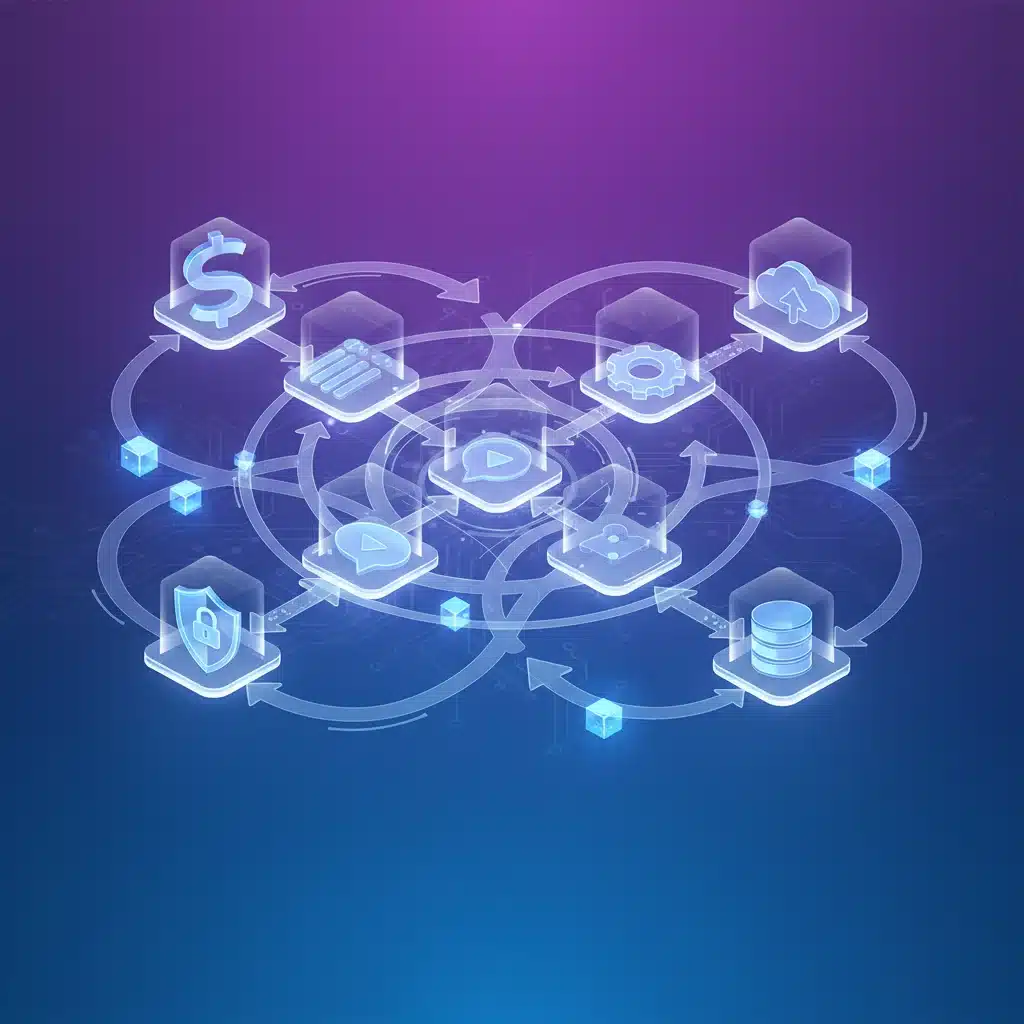
3. Cloud Storage & Document Collaboration Integration
Remote work thrives on shared resources and collaborative document creation. The ability to access, edit, and share files seamlessly is non-negotiable. Integrating your cloud storage with document collaboration platforms is essential for this.
Why it’s a Must-Have:
This integration eliminates the chaos of version control issues and the frustration of searching for the latest document. When your storage solution (e.g., Google Drive, Dropbox) is integrated with your collaboration suite (e.g., Microsoft 365, Google Workspace), you can edit documents directly from your storage, track changes, and ensure everyone is always working on the most current version. This is particularly important for US remote professionals who collaborate on dynamic projects with team members or clients spread across various locations.
Key Integrations to Consider:
- Google Drive + Google Workspace (Docs, Sheets, Slides): A native and powerful integration where all files are stored and edited within the same ecosystem, offering real-time collaboration and version history.
- Dropbox/OneDrive + Microsoft 365 (Word, Excel, PowerPoint): Allows users to open and edit Office documents directly from Dropbox or OneDrive, with changes automatically saved back to the cloud storage.
- Slack/Microsoft Teams + Google Drive/OneDrive/Dropbox: Share files directly within chat conversations, with previews and easy access, without having to leave the communication platform. This centralizes discussions around shared documents.
This integration ensures that your team’s collective knowledge and work products are always accessible, organized, and up-to-date, making it a cornerstone of effective digital workspace optimization.
4. CRM & Email Marketing/Communication Integration
For US remote professionals in sales, marketing, or client-facing roles, managing customer relationships and communications efficiently is paramount. Integrating your Customer Relationship Management (CRM) system with your email marketing or direct communication tools can revolutionize your outreach and follow-up processes.
Why it’s a Must-Have:
Imagine your CRM automatically updating a customer’s profile when they open an email campaign, or a new lead from your website instantly creating a contact in your CRM and triggering a personalized welcome email. This level of automation saves countless hours, ensures no lead falls through the cracks, and allows for highly personalized and timely communication.
For remote professionals, who might not have the benefit of impromptu office conversations to share client insights, this integration provides a centralized, up-to-date record of all customer interactions, ensuring a consistent and informed approach.
Key Integrations to Consider:
- Salesforce/HubSpot + Mailchimp/Constant Contact: Sync contact lists, track email campaign performance within the CRM, and segment audiences more effectively based on CRM data.
- Zoho CRM + Zoho Mail/Campaigns: A seamless ecosystem where CRM data directly informs email outreach, and email interactions update customer profiles in real-time.
- Pipedrive + Gmail/Outlook: Integrate your email inbox with your sales pipeline to automatically log emails, schedule follow-ups, and track communication history directly within your CRM.
This integration transforms your sales and marketing efforts into a highly efficient, data-driven process, contributing significantly to your overall digital workspace optimization strategies.

5. Video Conferencing & Scheduling Tool Integration
Meetings are an inevitable part of remote work, but scheduling them can be a time-consuming back-and-forth. Integrating your video conferencing platform with your scheduling tool simplifies this process dramatically.
Why it’s a Must-Have:
When someone books a meeting with you through a scheduling tool (like Calendly), the integration automatically creates a video conference link (Zoom, Google Meet, Microsoft Teams) and adds it to the calendar invite. This eliminates manual setup, reduces errors, and ensures that participants always have the correct meeting link. It also updates your calendar availability in real-time, preventing double bookings.
For US remote professionals who manage multiple client meetings, team discussions, and webinars, this integration is a massive time-saver and a professional courtesy, ensuring smooth and efficient virtual interactions.
Key Integrations to Consider:
- Calendly/Acuity Scheduling + Zoom/Google Meet/Microsoft Teams: The gold standard for automated meeting scheduling. Users select an available time slot, and the meeting link is automatically generated and included in the invite.
- Outlook Calendar/Google Calendar + Zoom/Google Meet/Microsoft Teams: While not a dedicated scheduling tool, these calendar platforms often have native integrations that allow you to add a video conference link with a single click when creating an event.
- Slack/Microsoft Teams + Zoom/Google Meet: Initiate instant video calls directly from your communication channels, or receive notifications for upcoming meetings with direct join links.
This integration streamlines the entire meeting lifecycle, from scheduling to execution, making it an indispensable part of digital workspace optimization for remote teams.
6. Time Tracking & Invoicing/Payroll Integration
For freelance US remote professionals, consultants, or those working on hourly projects, accurate time tracking is crucial for billing and project profitability. Integrating your time tracking software with your invoicing or payroll system automates a often tedious administrative process.
Why it’s a Must-Have:
Imagine your tracked hours for various projects automatically populating into an invoice template, ready to be sent to a client, or directly feeding into your payroll system. This eliminates manual data entry, reduces the risk of errors, and ensures that you are accurately compensated for all your work. It also provides valuable insights into how time is being spent, aiding in future project planning and pricing.
For remote professionals juggling multiple clients and projects, this integration is a significant time-saver and provides peace of mind regarding financial accuracy.
Key Integrations to Consider:
- Toggle Track/Harvest + QuickBooks/Xero: Track your time on specific projects and then easily export or sync that data to generate professional invoices or run payroll.
- ClickUp/Asana (with native time tracking) + FreshBooks/Stripe: If your project management tool has built-in time tracking, leverage its integrations to push time entries directly to your invoicing or payment platforms.
- Clockify + PayPal/Stripe: Simple time tracking that can integrate with popular payment gateways for straightforward billing.
This integration ensures financial accuracy and efficiency, allowing remote professionals to focus on their core work rather than administrative burdens, thereby enhancing overall digital workspace optimization.
Implementing Your Digital Workspace Optimization Strategy
While the benefits of these integrations are clear, successful implementation requires a thoughtful approach. Here are some steps for US remote professionals:
- Assess Your Current Stack: Start by listing all the tools you currently use. Identify redundancies and gaps.
- Define Your Workflow: Map out your typical daily and weekly workflows. Where are the bottlenecks? Where do you switch between tools most often?
- Prioritize Integrations: Based on your workflow analysis, identify which integrations will yield the greatest immediate impact on your productivity. Start small and expand.
- Research Integration Capabilities: Not all integrations are created equal. Look for native, officially supported integrations first. If those aren’t available, explore third-party connectors like Zapier or Integromat (Make.com), which can link thousands of apps.
- Test Thoroughly: Before fully rolling out an integration, test it with a small subset of tasks or team members to ensure it works as expected and doesn’t introduce new problems.
- Document Processes: Create clear documentation for how the integrated tools should be used. This is especially important for remote teams to ensure consistency.
- Gather Feedback & Iterate: Continuously solicit feedback from your team on how the integrations are performing. Be prepared to adjust and refine your setup over time.
Remember, digital workspace optimization is an ongoing process, not a one-time fix. As new tools emerge and your needs evolve, your integrated ecosystem should adapt accordingly.
The Future of Remote Work: A Unified Digital Workspace
The trend towards deeper and more intelligent tool integrations is only accelerating. As artificial intelligence and automation become more sophisticated, we can expect even more seamless connections between our digital tools. The goal is to move towards a truly unified digital workspace where the technology fades into the background, allowing remote professionals to focus entirely on their most impactful work.
For US remote professionals, embracing these integrations means more than just saving a few minutes here and there. It’s about creating an environment that supports deep work, fosters creativity, enhances collaboration, and ultimately, drives greater personal and professional fulfillment. By strategically optimizing your digital workspace, you’re not just keeping up with the future of work – you’re shaping it.
Invest the time and effort this year into building a robust, integrated digital workspace. The dividends in terms of productivity, efficiency, and overall job satisfaction will be immense, positioning you for sustained success in the remote economy.