
Automating Your Freelance Finances for 2026: Tools to Save 10 Hours Monthly on Bookkeeping
As a freelancer, your time is your most valuable asset. Every hour spent on administrative tasks like bookkeeping is an hour not spent on client work, skill development, or well-deserved downtime. The good news? The landscape of financial technology is evolving rapidly, offering unprecedented opportunities to streamline and automate your financial processes. By 2026, a fully automated freelance finance system won’t just be a luxury; it will be a necessity for competitive and thriving independent professionals. This comprehensive guide will walk you through the essential tools, strategies, and mindset shifts required to embrace freelance finance automation, ultimately saving you up to 10 hours monthly on bookkeeping and empowering you to focus on what you do best.
Anúncios
The Freelance Financial Burden: Why Automation is Crucial
The life of a freelancer is often romanticized, but behind the flexibility and creative freedom lies a mountain of responsibilities. Beyond delivering exceptional work, you’re also your own CEO, marketing department, sales team, and, crucially, your own finance department. This means managing invoices, tracking expenses, reconciling accounts, chasing payments, and preparing for tax season – tasks that, while essential, can be incredibly time-consuming and prone to human error.
Consider the average freelancer’s financial workflow:
- Manual Invoicing: Creating invoices one by one, manually calculating totals, and sending them out.
- Expense Tracking Headaches: Piles of receipts, forgotten deductions, and manual entry into spreadsheets.
- Payment Collection Woes: Sending reminders, following up on late payments, and dealing with payment processing fees.
- Bank Reconciliation: Tediously matching transactions between bank statements and your records.
- Tax Time Stress: Scrambling to gather all financial data, often leading to missed deductions or last-minute panic.
Each of these steps, when done manually, chips away at your valuable time. By embracing freelance finance automation, you can transform these tedious chores into seamless, background processes, freeing up hours that can be reinvested into growing your business, learning new skills, or simply enjoying a better work-life balance. The goal for 2026 is not just to manage your finances, but to have them work for you, intelligently and autonomously.
Anúncios
Pillars of Effective Freelance Finance Automation
Achieving significant time savings in your freelance finances requires a multi-faceted approach. We’ll break down automation into several key pillars, each addressing a critical aspect of your financial operations:
- Automated Invoicing and Payment Collection: Getting paid on time, every time.
- Effortless Expense Tracking: Never miss a deduction again.
- Seamless Bank and Credit Card Reconciliation: Keeping your books balanced with minimal effort.
- Smart Tax Preparation and Estimation: Reducing end-of-year stress.
- Integrated Financial Reporting: Gaining insights without manual data crunching.
Let’s dive into the specific tools and strategies that will power your freelance finance automation journey.
1. Automated Invoicing and Payment Collection: Your Cash Flow Engine
One of the biggest time sinks for freelancers is managing invoices and chasing payments. Automated invoicing systems can revolutionize this process, ensuring you get paid faster and with less effort.
Key Automation Strategies:
- Recurring Invoices: For retainers or ongoing projects, set up invoices to be automatically generated and sent at predetermined intervals (weekly, monthly, quarterly).
- Automated Payment Reminders: Configure the system to send polite, escalating reminders to clients with overdue invoices.
- Online Payment Gateways: Integrate options like Stripe, PayPal, or Square directly into your invoices, allowing clients to pay instantly with a click. This significantly reduces payment friction.
- Client Portals: Some tools offer client portals where clients can view their invoice history, make payments, and access statements, reducing direct inquiries to you.
Top Tools for Automated Invoicing (2026 Ready):
- FreshBooks: A long-standing favorite for freelancers, FreshBooks excels in intuitive invoicing, expense tracking, and time tracking. Its payment reminders and online payment integrations are robust.
- Wave Accounting: Offers free invoicing, accounting, and receipt scanning. Ideal for freelancers starting out or those with simpler financial needs. Its payment processing is competitive.
- Invoice Ninja: An open-source option that can be self-hosted or used as a cloud service. Highly customizable with professional templates, recurring invoices, and payment integrations.
- HoneyBook: While more of a CRM, HoneyBook offers excellent invoicing and payment collection features, especially for service-based freelancers who need to manage proposals, contracts, and payments in one place.
- QuickBooks Self-Employed: Tailored specifically for freelancers, this tool connects bank accounts, tracks income and expenses, and facilitates invoicing with payment options.
By implementing these tools and strategies, you can reduce the time spent on invoicing and payment follow-ups by several hours each month, ensuring a steady and predictable cash flow for your freelance business.
2. Effortless Expense Tracking: Maximizing Your Deductions
Manual expense tracking is a nightmare. Scanned receipts, forgotten purchases, and missed deductions can cost you significant money during tax season. Automation makes expense tracking seamless and accurate.
Key Automation Strategies:
- Bank and Credit Card Feeds: Connect your business bank accounts and credit cards directly to your accounting software. Transactions will be automatically imported, categorized, and ready for review.
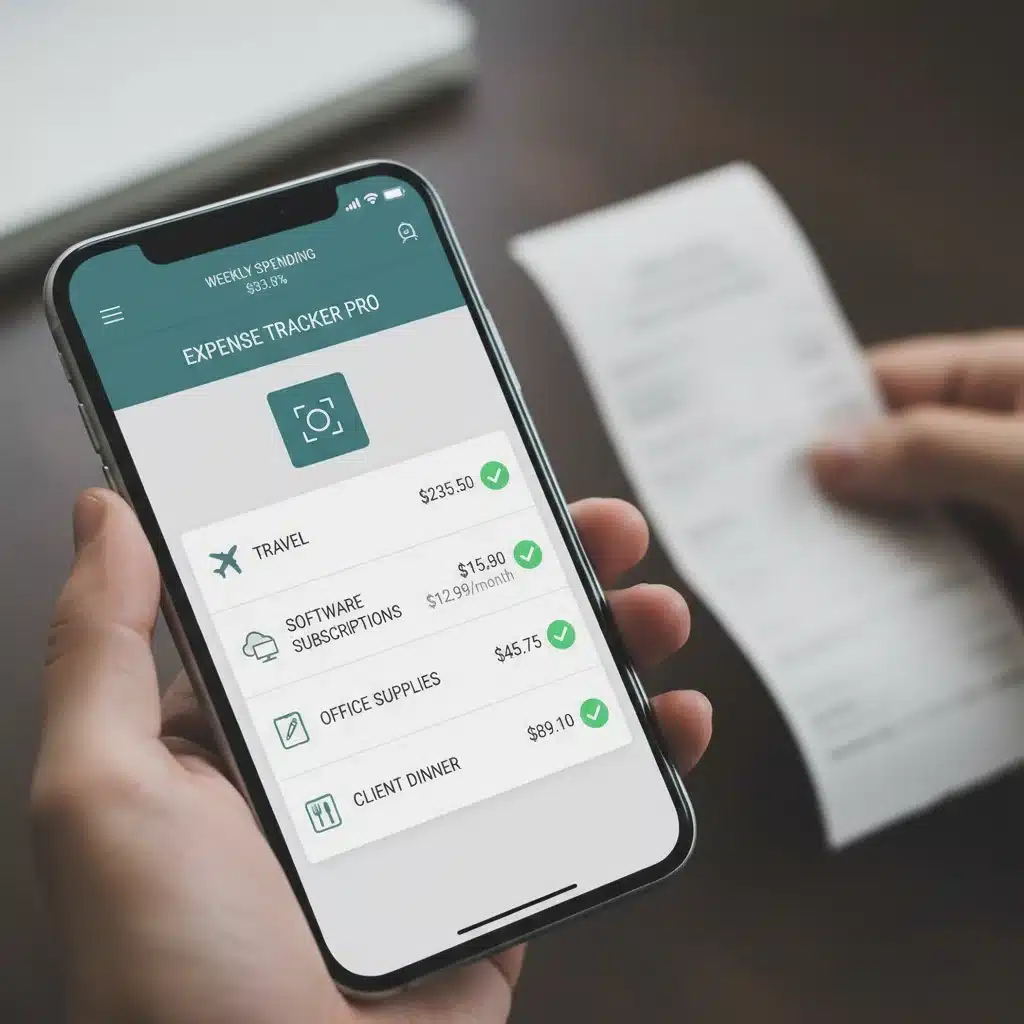
- Receipt Scanning Apps: Use mobile apps to snap photos of physical receipts. AI and OCR (Optical Character Recognition) technology will extract key information and attach the receipt to the corresponding transaction.
- Automatic Categorization Rules: Set up rules within your accounting software to automatically categorize recurring expenses (e.g., ‘Spotify’ always goes to ‘Software Subscriptions’).
- Mileage Tracking: Utilize apps that automatically track your mileage for business travel, ensuring you claim all eligible deductions.
Top Tools for Automated Expense Tracking (2026 Ready):
- Expensify: A powerful expense management tool known for its SmartScan technology, which can read receipts and automatically create expense reports. Integrates with many accounting platforms.
- Receipt Bank (now Dext Prepare): Another excellent option for digitizing receipts and invoices. It fetches documents directly from suppliers and integrates with popular accounting software.
- QuickBooks Self-Employed: As mentioned, its mobile app allows for easy receipt scanning and automatic categorization of transactions from linked accounts.
- MileIQ: Specifically designed for mileage tracking, it uses your phone’s GPS to automatically log business drives, making expense claims simple.
- Zoho Expense: Part of the Zoho ecosystem, offering robust expense reporting, receipt scanning, and integration with other Zoho apps and third-party accounting software.
Automating your expense tracking means no more shoeboxes full of receipts or forgotten business write-offs. This pillar of freelance finance automation can save you hours of manual data entry and potentially thousands in tax deductions.
3. Seamless Bank and Credit Card Reconciliation: Keeping Your Books Balanced
Reconciliation is the process of ensuring that the money leaving and entering your bank accounts matches your internal records. Manually, this can be a painstaking process. Automated tools make it nearly instantaneous.
Key Automation Strategies:
- Direct Bank Feeds: Your accounting software pulls transaction data directly from your bank and credit card accounts, eliminating manual data entry.
- Automated Matching: The software uses algorithms to automatically match imported bank transactions with invoices and expenses already recorded in your system.
- Rule-Based Categorization: Beyond basic categorization, you can set up more complex rules for how transactions should be handled during reconciliation, further reducing manual intervention.
- One-Click Reconciliation: For matched transactions, many systems allow you to approve and reconcile with a single click, focusing your attention only on exceptions.
Top Tools for Automated Reconciliation (2026 Ready):
- Xero: Renowned for its beautiful interface and powerful bank reconciliation features. Xero makes it incredibly easy to match transactions and keep your books tidy.
- QuickBooks Online: A comprehensive solution that offers excellent bank feeds and automated matching capabilities, especially for those with more complex financial needs or who anticipate growing.
- Wave Accounting: For its free price point, Wave offers surprisingly robust bank connection and reconciliation features, making it a great entry point for freelance finance automation.
- Sage Business Cloud Accounting: Provides strong bank reconciliation tools, often preferred by freelancers who need robust reporting and scalability.
Automated reconciliation transforms a multi-hour monthly task into a quick review, ensuring your financial records are always accurate and up-to-date, which is vital for informed decision-making and tax compliance.
4. Smart Tax Preparation and Estimation: Reducing End-of-Year Stress
Tax season is often the most dreaded time for freelancers. Automated tools can significantly reduce this stress by keeping your financial data organized and providing real-time estimates.
Key Automation Strategies:
- Estimated Tax Reminders: Tools can calculate your estimated quarterly taxes based on your income and expenses and send you reminders to pay them, preventing penalties.
- Automated Tax Categorization: As transactions are categorized, they are automatically flagged for tax purposes, making it easy to generate reports for your accountant or tax software.
- Direct Integration with Tax Software: Many accounting platforms can directly export data or integrate with popular tax preparation software (e.g., TurboTax, H&R Block), simplifying the filing process.
- Profit & Loss Statements: Automated generation of P&L statements gives you a clear picture of your taxable income throughout the year.
Top Tools for Automated Tax Preparation (2026 Ready):
- QuickBooks Self-Employed: Specifically designed to help freelancers track income, expenses, and mileage for tax purposes, including quarterly estimated tax calculations and direct export to TurboTax.
- FreeAgent: Popular in the UK but with growing international presence, FreeAgent offers comprehensive tax forecasting, self-assessment support, and direct filing for certain tax types.
- FreshBooks: While not a dedicated tax tool, its robust reporting and categorization features make it easy to pull the necessary data for tax preparation.
- Bench Accounting: A service that combines human bookkeepers with automation. They handle your bookkeeping and provide tax-ready financial statements, effectively outsourcing and automating much of your tax prep.
By leveraging these tools, you can transform tax season from a frantic scramble into a calm, organized process, ensuring compliance and potentially uncovering additional deductions. This level of freelance finance automation is invaluable for peace of mind.
5. Integrated Financial Reporting: Gaining Insights Without Manual Data Crunching
Beyond simply managing money, understanding your financial performance is crucial for growth. Automated reporting provides real-time insights without you having to manually compile spreadsheets.
Key Automation Strategies:
- Automated P&L Statements: Generate profit and loss reports at any time to see your income versus expenses.
- Balance Sheets: Get an instant snapshot of your assets, liabilities, and equity.
- Cash Flow Reports: Understand where your money is coming from and where it’s going, helping you manage liquidity.
- Customizable Dashboards: Many tools offer customizable dashboards that display key financial metrics at a glance, such as outstanding invoices, recent expenses, and current profit.
- Budgeting and Forecasting: Some advanced tools allow you to set budgets and forecast future income and expenses based on historical data, helping you plan strategically.
Top Tools for Automated Financial Reporting (2026 Ready):
- Xero: Its reporting suite is highly flexible and user-friendly, offering a wide array of customizable reports and an intuitive dashboard.
- QuickBooks Online: Provides comprehensive reporting capabilities, from basic P&L to more advanced custom reports, giving you deep insights into your business’s health.
- FreshBooks: Offers clear and concise reports that are easy to understand, focusing on the key metrics freelancers need to track.
- Zoho Books: Part of a larger ecosystem, Zoho Books provides robust reporting and analytics that can be integrated with other Zoho applications for a holistic business view.
Automated reporting transforms raw financial data into actionable intelligence, empowering you to make informed business decisions, identify trends, and strategically plan for the future. This is the ultimate benefit of a well-implemented freelance finance automation system.
Building Your Automated Freelance Finance Ecosystem for 2026
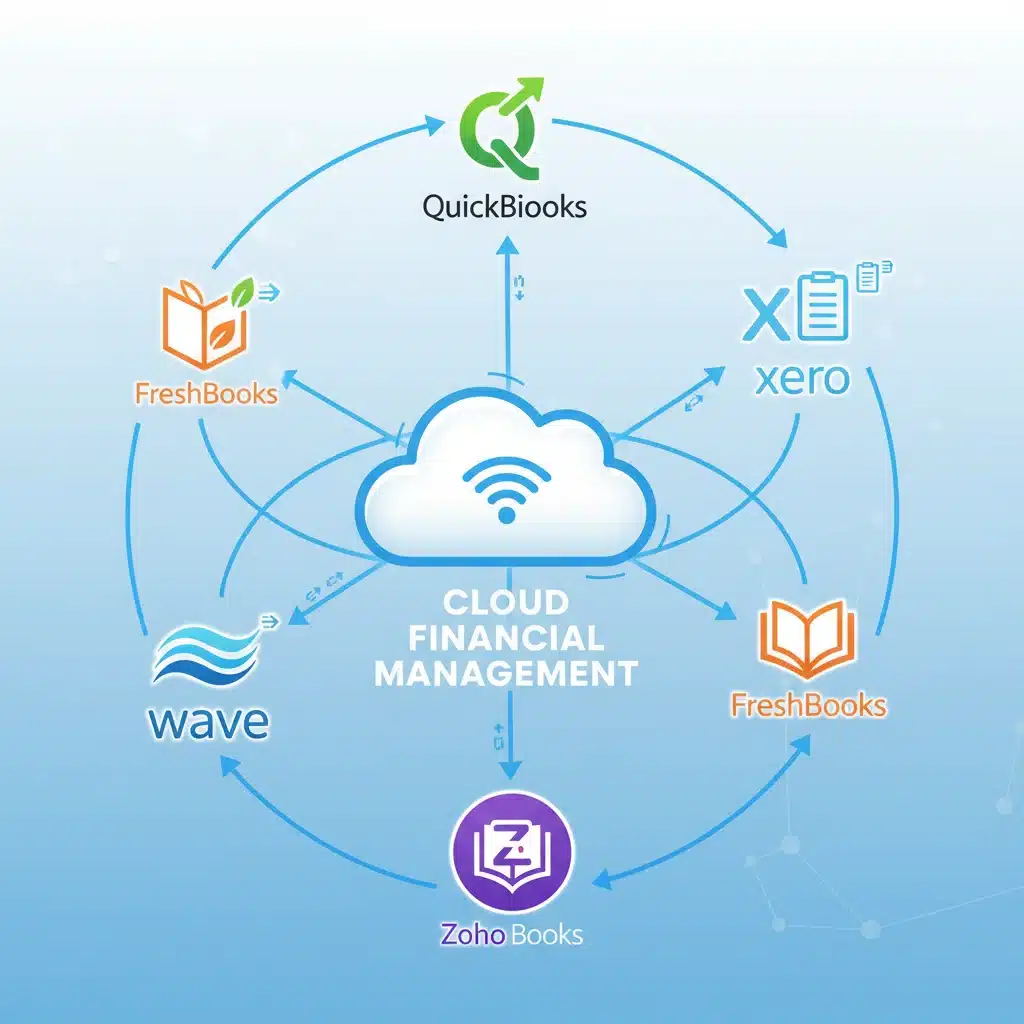
The true power of freelance finance automation comes from integrating these individual tools into a cohesive ecosystem. Think of it as a financial nervous system for your business. Here’s how to approach building it:
1. Choose a Core Accounting Platform:
This will be the central hub for your financial data. Popular choices like QuickBooks Online, Xero, FreshBooks, or Wave Accounting offer varying levels of features and pricing. Consider your current business size, anticipated growth, and specific needs (e.g., project management, multi-currency support).
2. Integrate with Payment Processors:
Ensure your chosen accounting platform seamlessly integrates with your preferred payment gateways (Stripe, PayPal, Square). This allows for automatic payment reconciliation and reduces manual input.
3. Connect Bank and Credit Card Accounts:
Almost all modern accounting software offers direct bank feeds. This is non-negotiable for true automation. Ensure all business-related accounts are linked.
4. Implement Expense and Receipt Management:
Whether it’s an integrated feature of your core platform or a dedicated app like Expensify or Dext, ensure every business expense is captured and categorized automatically from the point of purchase.
5. Leverage CRM/Project Management Integration (Optional but Recommended):
If you use a CRM (Client Relationship Management) or project management tool (e.g., HoneyBook, ClickUp, Asana), look for integrations that can automatically generate invoices based on completed projects or tracked time. This further reduces manual data entry and ensures accuracy.
6. Set Up Tax Planning Tools:
Utilize features within your accounting software or dedicated tax tools to estimate quarterly taxes, set aside funds, and prepare tax-ready reports.
7. Automate Reporting and Alerts:
Configure your system to generate regular financial reports and send alerts for critical events, such as low cash balances, overdue invoices, or upcoming tax deadlines.
Tips for a Smooth Transition to Automated Freelance Finances
Embarking on the journey of freelance finance automation can seem daunting, but with a strategic approach, it can be incredibly rewarding. Here are some tips for a smooth transition:
- Start Small: Don’t try to automate everything at once. Begin with one area, like invoicing or expense tracking, and gradually expand.
- Dedicate Time for Setup: Initial setup of accounts, rules, and integrations will take time. View this as an investment that will pay dividends in time saved later.
- Categorize Consistently: Establish a clear and consistent chart of accounts and stick to it. This is fundamental for accurate reporting and tax preparation.
- Review Regularly (Initially): While automation reduces manual work, it doesn’t eliminate the need for oversight. Regularly review transactions and reports, especially in the beginning, to ensure accuracy and catch any errors.
- Backup Your Data: Even with cloud-based solutions, regularly backing up your financial data is a good practice.
- Seek Professional Advice: If your financial situation is complex, consult with an accountant or bookkeeper who specializes in freelancers. They can help you set up your automated system correctly and ensure tax compliance.
- Stay Updated: Financial technology evolves. Periodically review new tools and features to optimize your automation further.
The Future of Freelance Finance: Beyond 2026
Looking beyond 2026, the trend of freelance finance automation will only accelerate. We can expect:
- Enhanced AI and Machine Learning: Even smarter categorization, fraud detection, and predictive analytics will become standard.
- Voice-Activated Financial Management: Imagine asking your virtual assistant for a quick financial report or to send an invoice.
- Blockchain for Payments and Contracts: Increased use of blockchain for secure, transparent, and instant cross-border payments and smart contracts.
- Hyper-Personalized Financial Advice: AI-driven insights tailored specifically to your freelance niche, helping you optimize pricing, manage cash flow, and identify growth opportunities.
- Seamless Integration with Gig Platforms: Direct, real-time data flow between your accounting software and platforms like Upwork, Fiverr, or Toptal.
By adopting automation now, you’re not just saving time; you’re future-proofing your freelance business and positioning yourself to thrive in an increasingly digital and automated economy.
Conclusion: Reclaim Your Time and Master Your Money
The promise of saving 10 hours monthly on bookkeeping is not an exaggeration. For many freelancers, it’s an achievable reality with the right tools and a commitment to freelance finance automation. By embracing automated invoicing, expense tracking, reconciliation, and tax preparation, you can transform your financial management from a source of stress into a streamlined, efficient process.
Imagine those extra 10 hours: more time for client work, leading to increased income; more time for professional development, enhancing your skills; or simply more time for yourself, improving your overall well-being. The financial clarity and control that automation provides will empower you to make smarter business decisions, reduce tax season anxiety, and ultimately, build a more sustainable and profitable freelance career.
Don’t let manual bookkeeping hold you back. Start exploring these tools today and pave the way for a more efficient, prosperous, and stress-free freelance financial future in 2026 and beyond.