Beyond Zoom: 7 Underutilized Tools for Remote Team Collaboration

To significantly increase collaboration by 20% in 2025, remote teams must adopt underutilized communication tools that move beyond traditional video conferencing, fostering deeper engagement and more efficient workflows.
The remote work landscape has matured, and with it, the demands on communication tools have evolved far beyond basic video calls. To truly thrive and achieve a 20% increase in collaboration by 2025, remote teams need to look past the usual suspects and explore sophisticated, often underutilized, communication tools. This article delves into seven such platforms that can redefine how your distributed workforce connects, creates, and collaborates.
The evolving need for advanced remote collaboration
The initial shift to remote work often relied on familiar tools like Zoom, which proved essential for maintaining face-to-face interactions. However, as remote setups become permanent for many organizations, the limitations of primarily synchronous communication become apparent. Teams now require tools that support diverse work styles, time zones, and project complexities, moving beyond mere virtual meetings to foster genuine, sustained collaboration.
Effective remote collaboration in 2025 demands a blend of synchronous and asynchronous capabilities, ensuring that team members can contribute meaningfully regardless of their immediate availability. This shift is not just about adopting new software; it’s about cultivating a culture of proactive communication and shared understanding through optimized digital environments.
Beyond video calls: embracing asynchronous communication
While video calls are crucial for certain discussions, over-reliance can lead to meeting fatigue and hinder productivity. Asynchronous tools allow for thoughtful responses and detailed documentation, reducing the need for constant, real-time presence.
- Reduces meeting fatigue: Less time spent in live meetings means more focus on deep work.
- Supports global teams: Eliminates the challenge of coordinating across vastly different time zones.
- Fosters thoughtful contributions: Team members have time to formulate well-considered responses.
- Creates a searchable knowledge base: Discussions and decisions are documented for future reference.
By integrating tools that excel in asynchronous communication, teams can empower members to work at their most productive times, leading to higher quality output and a more balanced work-life dynamic. This strategic approach ensures that collaboration is continuous rather than confined to scheduled slots.
Miro: unleashing visual collaboration and ideation
Miro transcends the traditional whiteboard, offering a vast, infinite canvas for visual collaboration that is particularly powerful for remote brainstorming, project planning, and design thinking. Unlike simple screen sharing, Miro allows multiple participants to interact simultaneously, moving sticky notes, drawing diagrams, and embedding various media types in real-time or asynchronously.
Its strength lies in its versatility. Teams can use pre-built templates for sprint planning, customer journey mapping, or even agile retrospectives, adapting the board to their specific needs. This dynamic environment encourages creative problem-solving and ensures every team member’s input is visible and actionable.
Interactive workshops and design sprints
For remote teams, facilitating engaging workshops can be a challenge. Miro provides a structured yet flexible platform to run activities that would typically require a physical space.
- Real-time co-creation: Multiple users can edit and contribute simultaneously, fostering collective ownership.
- Template library: Access to hundreds of templates for diverse use cases, from brainstorming to strategic planning.
- Integration capabilities: Connects with popular tools like Jira, Asana, and Google Drive for seamless workflows.
- Presentation mode: Guides participants through specific sections of the board, making virtual presentations more interactive.
The ability to visualize complex ideas and processes in a shared space significantly enhances understanding and alignment within a remote team. Miro transforms abstract discussions into tangible, collaborative artifacts, making it an indispensable tool for innovative teams.
Notion: the all-in-one workspace for knowledge and projects
Notion stands out as a highly customizable workspace that combines notes, databases, wikis, project management, and more into a single, interconnected platform. For remote teams, it serves as a central hub where all critical information, tasks, and documentation reside, reducing reliance on scattered files and disparate applications. Its flexibility allows teams to build bespoke systems that perfectly match their unique workflows.
Imagine having a company wiki, a project tracker, a content calendar, and individual task lists all linked together, searchable, and easily accessible from anywhere. Notion facilitates this level of organizational coherence, ensuring that every team member has access to the most up-to-date information and understands how their work fits into the larger picture.
Customizable databases and project tracking
One of Notion’s most powerful features is its database functionality, which can be adapted for virtually any need, from CRM to bug tracking.
- Flexible templates: Start with pre-built templates or create custom pages from scratch for any purpose.
- Interlinked pages: Connect related documents, tasks, and databases to build a comprehensive knowledge base.
- Version history: Track changes and revert to previous versions, ensuring data integrity.
- Collaborative editing: Multiple users can edit pages simultaneously, with real-time updates.
By leveraging Notion, remote teams can significantly improve knowledge sharing and project transparency. It eliminates information silos and provides a single source of truth, crucial for distributed environments where context can easily be lost.
Gather.town: creating immersive virtual office spaces
Gather.town offers a unique approach to remote communication by creating 2D virtual spaces where team members can move around, interact with objects, and engage in spontaneous conversations. It’s designed to replicate the serendipitous encounters and casual interactions often missed in traditional video conferencing, fostering a stronger sense of community and team cohesion.
In Gather.town, you can walk your avatar to a colleague’s virtual desk for a quick chat, step into a private meeting room, or gather in a common area for a team social event. The proximity-based video and audio ensure that conversations feel natural and mimic real-world interactions, making remote work feel less isolated.
Spontaneous interactions and team building
The platform excels at replicating the informal aspects of office life, which are vital for team bonding and creative idea generation.
- Proximity-based communication: Video and audio activate only when avatars are close, simulating natural conversations.
- Customizable spaces: Design virtual offices, conference rooms, or event venues to suit your team’s culture.
- Interactive objects: Embed whiteboards, documents, and games directly into the virtual environment.
- Social events: Host virtual happy hours, game nights, or informal meetups to strengthen team bonds.
Gather.town provides a refreshing alternative to standard video calls, enriching the remote work experience by adding a layer of spatial interaction and encouraging more organic communication among team members. This can be a game-changer for fostering a vibrant remote culture.
Twist: asynchronous messaging for focused discussions
Twist, developed by the makers of Todoist, is an asynchronous team communication app designed to cut through the noise of traditional chat platforms. Instead of endless, scrolling channels, Twist organizes conversations into threads, ensuring that discussions stay focused, searchable, and easy to follow. It champions deep work by minimizing real-time interruptions and promoting thoughtful, structured communication.
This tool is particularly beneficial for remote teams spread across different time zones, as it allows members to contribute to discussions at their convenience without feeling pressured to respond immediately. Every conversation has a clear topic, making it easy to catch up and contribute effectively.
Structured conversations and reduced distractions
Twist’s threaded approach fundamentally changes how teams communicate, moving away from frantic real-time chats to more deliberate exchanges.
- Threaded conversations: Keeps discussions organized by topic, preventing information overload.
- Asynchronous by design: Encourages thoughtful responses rather than instant replies, ideal for varied schedules.
- Clear inbox: Easily see new messages and catch up on discussions without endless scrolling.
- Integrations: Connects with essential tools to streamline workflows and notifications.
By promoting focused, asynchronous communication, Twist helps remote teams maintain clarity and reduce digital distractions, ultimately leading to more productive discussions and better decision-making. It’s a powerful antidote to the constant interruptions of many modern chat apps.
Around: intelligent video meetings with a personal touch
Around offers a fresh perspective on video conferencing, focusing on creating more natural and less fatiguing virtual meetings. Its unique AI-powered features, like automatic background noise suppression and intelligent framing, enhance the meeting experience by minimizing distractions and making participants feel more present. The circular video frames also encourage more direct eye contact and reduce screen fatigue.
Unlike traditional video platforms that often feel sterile and formal, Around aims to bring a human touch back to virtual interactions. It’s designed for quick, focused discussions and collaborative sessions where visual clarity and minimal setup are paramount.
Enhanced focus and reduced video fatigue
Around’s innovative design addresses common pain points associated with prolonged video calls, making them more bearable and productive.
- AI-powered framing: Automatically centers participants and removes distracting backgrounds.
- Echo cancellation: Advanced audio processing ensures crystal-clear sound quality.
- Collaborative canvas: Share ideas on a persistent workspace that lives beyond the meeting.
- Small, circular video frames: Reduces visual clutter and promotes a more intimate feel.
For remote teams seeking to improve the quality and efficiency of their synchronous meetings, Around provides a compelling alternative. Its focus on intelligent audio-visual enhancements can significantly reduce the cognitive load of video conferencing, making interactions more engaging and less exhausting.
ClickUp: comprehensive project management and collaboration
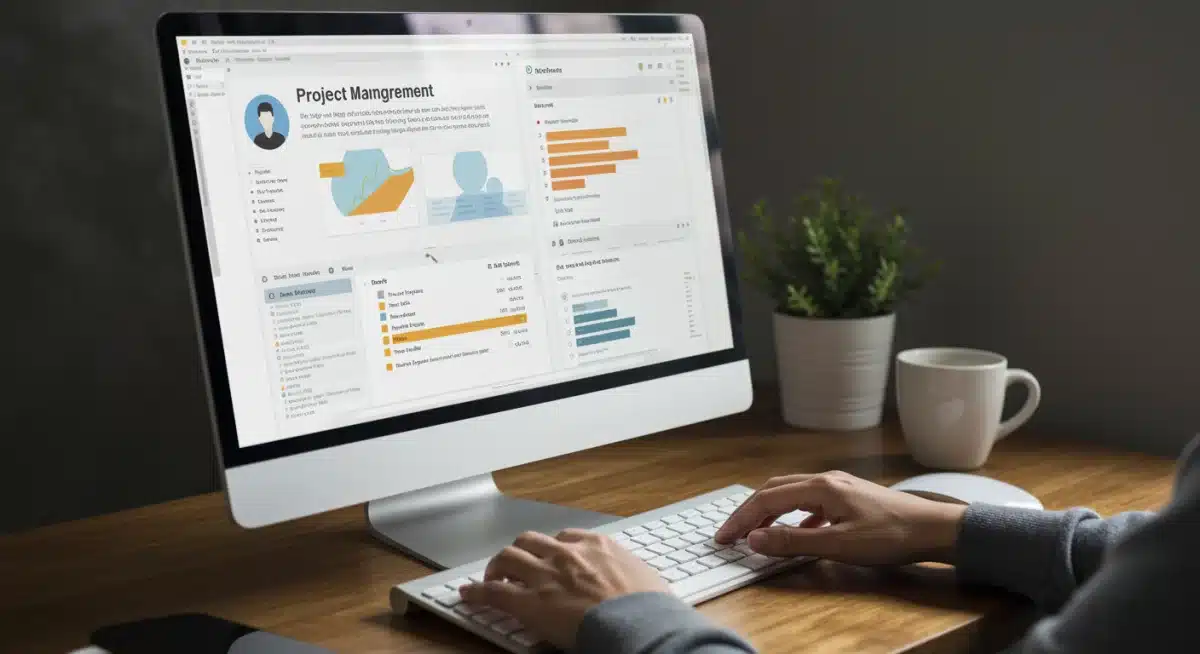
ClickUp is an all-encompassing productivity platform designed to replace multiple tools with a single, highly customizable workspace. It offers robust features for task management, project planning, document creation, and team communication, all integrated seamlessly. For remote teams, ClickUp provides a centralized system to manage every aspect of their work, ensuring that projects stay on track and collaboration remains fluid.
Its flexibility allows teams to create custom workflows, automate routine tasks, and visualize project progress in various ways, from Gantt charts to Kanban boards. This level of customization ensures that ClickUp can adapt to virtually any team structure or project methodology.
Unified workspace for diverse team needs
ClickUp’s strength lies in its ability to consolidate various functionalities, making it a powerful hub for remote collaboration.
- Task management: Assign tasks, set deadlines, and track progress with granular detail.
- Docs and wikis: Create and collaborate on documents directly within the platform.
- Whiteboards: Brainstorm and plan visually with integrated whiteboards.
- Goal tracking: Set and monitor team and individual goals to align efforts.
By centralizing project management and communication, ClickUp helps remote teams maintain transparency and accountability, reducing the overhead of switching between different applications. It empowers teams to work more efficiently and collaboratively, driving projects forward with greater control.
Loom: asynchronous video messaging for clarity and context
Loom revolutionizes asynchronous communication by allowing users to quickly record and share video messages of their screen, webcam, or both. Instead of typing lengthy emails or scheduling meetings for simple explanations, Loom enables remote team members to convey complex ideas, provide feedback, or demonstrate processes with clarity and personal touch. It bridges the gap between text-based communication and live video calls.
This tool is particularly effective for explaining visual concepts, onboarding new team members, or providing detailed feedback on creative work. The ability to record and share short, digestible videos saves time and reduces misinterpretations, making communication more efficient and effective.
Streamlining explanations and feedback loops
Loom’s simplicity and effectiveness make it an invaluable tool for remote teams looking to enhance their asynchronous communication.
- Quick screen recordings: Record your screen and voice to easily explain processes or demonstrate software.
- Personalized feedback: Provide detailed feedback on documents or designs with visual and verbal cues.
- Instant sharing: Share videos with a simple link, making collaboration effortless.
- Engagement insights: See who watched your video and how much they watched, providing valuable feedback.
By incorporating Loom into their workflow, remote teams can significantly improve the clarity and context of their communications. It reduces the need for back-and-forth emails and unnecessary meetings, allowing for more productive and less ambiguous exchanges.
| Tool | Primary Benefit for Remote Teams |
|---|---|
| Miro | Visual brainstorming and real-time co-creation on an infinite canvas. |
| Notion | Centralized knowledge base and customizable project management. |
| Gather.town | Immersive virtual spaces for spontaneous interactions and team building. |
| Twist | Asynchronous, threaded discussions to reduce noise and enhance focus. |
Frequently asked questions about remote collaboration tools
While Zoom is excellent for synchronous meetings, relying solely on it can lead to meeting fatigue and hinder asynchronous collaboration. Exploring other tools allows for more diverse communication styles, better documentation, and supports teams across various time zones more effectively, boosting overall productivity and engagement.
Asynchronous tools foster thoughtful contributions by allowing team members to respond at their own pace, reducing the pressure of immediate replies. They also create a searchable record of discussions, support global teams by eliminating time zone conflicts, and minimize constant interruptions, leading to more focused work and better outcomes.
Miro provides an infinite, interactive canvas where multiple team members can co-create in real-time or asynchronously. Its extensive template library supports diverse activities like brainstorming, project planning, and design sprints, transforming abstract ideas into visible, actionable plans, which is crucial for remote ideation and alignment.
Yes, Notion’s highly customizable workspace integrates notes, databases, wikis, and project management into a single platform. This eliminates information silos and offers a centralized hub for all team knowledge and tasks. Its flexibility allows teams to build bespoke systems that streamline workflows and enhance transparency across all operations.
Gather.town creates immersive virtual spaces that mimic physical office interactions, allowing spontaneous conversations through proximity-based video and audio. This unique approach fosters a stronger sense of community, encourages casual interactions, and reduces the isolation often associated with remote work, making team building more engaging and natural.
Conclusion
The journey to increasing remote team collaboration by 20% in 2025 demands a strategic shift from relying on conventional tools to embracing a diverse ecosystem of specialized platforms. By integrating underutilized communication tools like Miro for visual ideation, Notion for centralized knowledge, Gather.town for immersive social interaction, Twist for focused asynchronous discussions, Around for intelligent video meetings, ClickUp for comprehensive project management, and Loom for clear video messaging, teams can build a more robust, efficient, and engaging remote work environment. This proactive adoption of advanced tools will not only streamline workflows but also cultivate a stronger sense of connection and shared purpose among distributed team members, ultimately driving significant productivity gains.