Top AI Note-Taking Apps 2026: Master Remote Work in the US

Anúncios
The 2026 Guide to AI Note-Taking Apps: Streamline Your Meetings and Research in the US Remote Landscape
The year is 2026, and the landscape of work has fundamentally shifted. Remote and hybrid models are not just commonplace but often preferred, especially across the United States. This evolution demands tools that can keep pace with dynamic collaboration, distributed teams, and an ever-increasing flow of information. Enter AI Note-Taking Apps – the unsung heroes transforming how professionals capture, organize, and leverage information. If you’ve ever felt overwhelmed by meeting minutes, research data, or the sheer volume of digital conversations, this guide is for you. We’re diving deep into the best AI note-taking apps of 2026, exploring how they can supercharge your productivity, streamline your workflows, and ensure you never miss a crucial detail again.
The promise of artificial intelligence has moved beyond futuristic concepts into tangible, everyday applications. For note-taking, AI isn’t just about transcribing audio; it’s about intelligent summarization, action item detection, sentiment analysis, and even predictive insights. In a remote-first nation like the US, where communication often happens asynchronously and across various platforms, having an intelligent assistant to manage your notes isn’t just a luxury – it’s a necessity.
Anúncios
Why AI Note-Taking Apps are Essential in 2026
The modern professional’s life is a constant barrage of information. From virtual meetings and webinars to extensive research and online courses, the data deluge is real. Traditional note-taking methods, while sometimes comforting, simply can’t keep up. This is where AI Note-Taking Apps shine. They offer a suite of capabilities designed to automate the most tedious aspects of information capture and organization, freeing up cognitive load for more strategic tasks.
Consider the typical remote worker in the US. Their day might involve back-to-back video calls, collaborating on documents, conducting online research, and responding to countless emails and messages. Manually taking detailed notes during a fast-paced meeting is challenging, often leading to missed points or incomplete action items. Post-meeting, sifting through pages of handwritten or typed notes to find specific information can be a time sink. AI note-taking apps address these pain points head-on, offering solutions that enhance efficiency and accuracy.
Moreover, the distributed nature of remote teams means that not everyone can attend every meeting. AI-generated summaries and transcripts ensure that absent team members can quickly get up to speed without needing a lengthy debrief. For researchers, these apps can parse through vast quantities of text, identify key themes, and even suggest connections that might otherwise be overlooked. The benefits extend far beyond simple transcription, touching upon every aspect of information management and knowledge retention.
Anúncios
Key Features to Look for in AI Note-Taking Apps
As the market for AI Note-Taking Apps expands, discerning which tool best fits your needs can be challenging. Here are the critical features to prioritize when making your selection in 2026:
1. Real-time Transcription and Speaker Identification
At its core, an excellent AI note-taking app should offer highly accurate real-time transcription. This means converting spoken words into text as they happen, with minimal delay. Crucially, the app should also be able to identify and differentiate between speakers. This feature is invaluable for meeting minutes, allowing you to easily track who said what, eliminating confusion and ensuring accountability. Advanced apps use sophisticated voice recognition algorithms, often leveraging machine learning models trained on diverse US accents and speech patterns to maximize accuracy.
2. Intelligent Summarization
Beyond transcription, the ability to generate concise, accurate summaries is a game-changer. Imagine a one-hour meeting condensed into a five-minute read, highlighting only the most important decisions, discussions, and outcomes. AI-powered summarization algorithms can identify key themes, extract critical sentences, and even generate bullet-point summaries, saving significant time for review and dissemination. This is particularly useful for busy executives or team members who need to grasp the essence of a long discussion quickly.
3. Action Item and Decision Detection
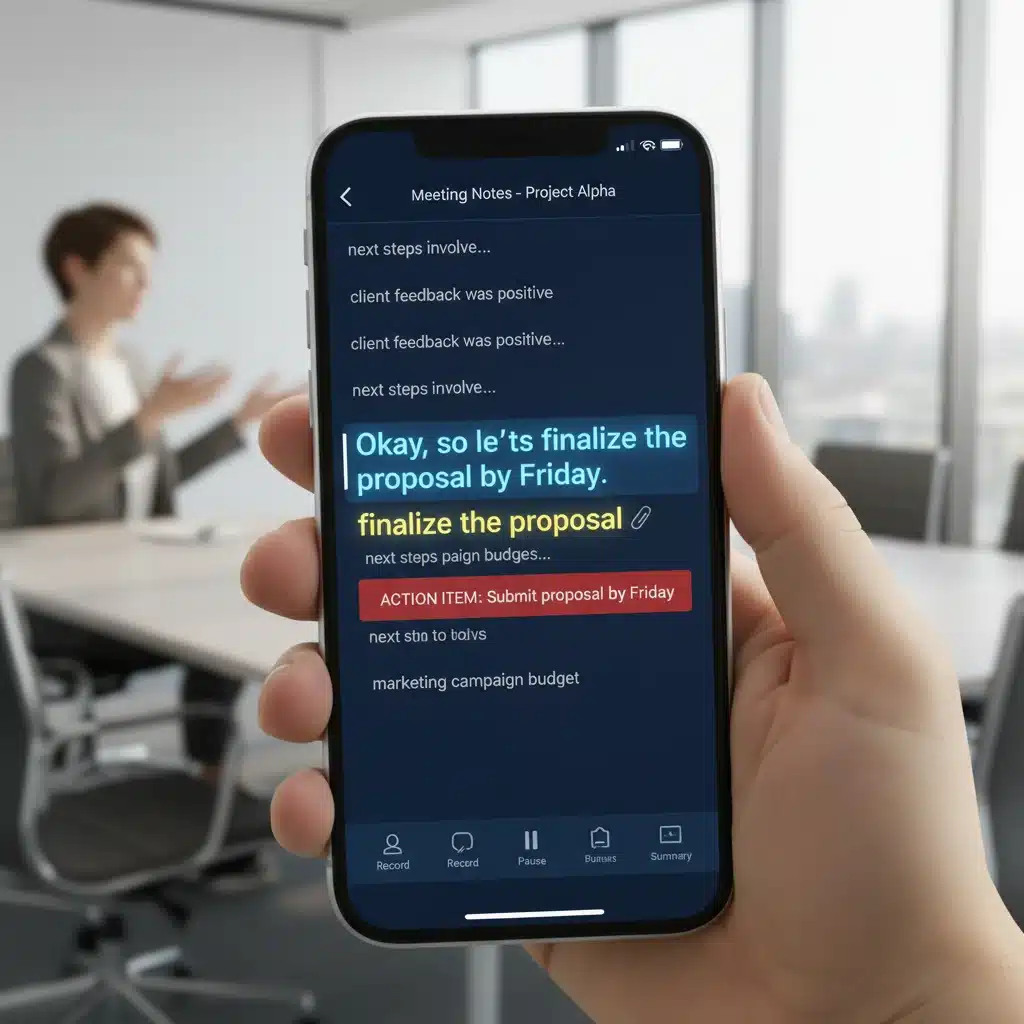
Meetings are often about making decisions and assigning tasks. Top-tier AI Note-Taking Apps can automatically detect action items, questions, and decisions discussed during a conversation. They can often differentiate between a general statement and a commitment, flagging these for immediate follow-up. Some apps even integrate with project management tools, allowing you to export these items directly to platforms like Asana, Trello, or Jira, ensuring no task falls through the cracks.
4. Searchability and Organization
What good are notes if you can’t find them? Effective AI note-taking apps offer robust search functionalities, allowing you to find specific keywords, phrases, or even topics across all your recordings and transcripts. Beyond simple search, these apps excel at organizing your notes. They might use AI to categorize discussions by topic, project, or participant, making it easy to retrieve relevant information years down the line. Tags, folders, and smart filtering capabilities are also common.
5. Integration Capabilities
In 2026, your digital tools rarely operate in isolation. The best AI note-taking apps seamlessly integrate with your existing ecosystem. This includes calendar applications (Google Calendar, Outlook Calendar) for scheduling and context, video conferencing platforms (Zoom, Microsoft Teams, Google Meet) for direct recording and transcription, and cloud storage solutions (Google Drive, Dropbox, OneDrive) for secure note archiving. Integrations with CRM, project management, and knowledge base systems further amplify their utility.
6. Multi-language Support and Translation
For global teams or those working with international clients, multi-language support is crucial. Some advanced AI Note-Taking Apps offer real-time translation of conversations, breaking down language barriers and fostering more inclusive communication. This feature is becoming increasingly important in the diverse US business environment.
7. Data Security and Privacy
Given the sensitive nature of many conversations, data security and privacy are paramount. Ensure the app you choose complies with relevant data protection regulations (e.g., GDPR, CCPA) and offers robust encryption for both data in transit and at rest. Understanding their data retention policies and how they use your data for AI model training is also essential.
Top AI Note-Taking Apps to Watch in 2026
While the market is dynamic, several platforms have distinguished themselves as leaders in the AI Note-Taking Apps space for 2026, offering a blend of innovation, reliability, and powerful features:
1. Otter.ai (Enhanced for 2026)
Otter.ai remains a powerhouse in AI transcription and summarization. By 2026, it has significantly advanced its AI models, offering even greater accuracy in speaker identification and nuanced summarization. Its integration with popular video conferencing tools is seamless, and it now provides advanced sentiment analysis, allowing users to gauge the overall tone of a meeting. For remote teams in the US, Otter.ai’s ability to create shareable highlights and integrate with project management tools makes it indispensable.
2. Fathom.ai (Intelligent Meeting Assistant)
Fathom.ai has evolved into a comprehensive meeting assistant. Beyond transcription, its AI actively helps you identify key moments, automatically generates meeting summaries, and even creates pre-filled CRM fields directly from your sales calls. Its ‘co-pilot’ feature provides real-time coaching prompts during calls, making it particularly valuable for sales and customer success teams operating across different US time zones. The user interface is intuitive, focusing on making post-meeting workflows incredibly efficient.
3. Notta (Global Reach and Advanced AI)
Notta stands out for its strong multi-language support and high transcription accuracy across various accents, a significant advantage in the diverse US market. In 2026, Notta offers enhanced AI summarization, the ability to translate transcripts into multiple languages on the fly, and robust organizational features. It’s an excellent choice for individuals and teams who frequently engage in international or multilingual discussions, ensuring every voice is heard and understood.
4. ScribeSense (Research and Academic Focus)
ScribeSense, a newer entrant that has rapidly gained traction by 2026, focuses specifically on academic and research applications. Its AI is trained to understand complex terminology and structured data, making it ideal for transcribing lectures, interviews, and research discussions. It excels at identifying citations, extracting key arguments, and even generating preliminary literature reviews based on recorded content. For US-based researchers, students, and academics, ScribeSense offers unparalleled precision in capturing nuanced information.
5. Grain (Video-First Approach)
Grain has perfected the art of turning video meetings into actionable knowledge. While other apps focus on text, Grain emphasizes the visual aspect, allowing users to clip and share key video moments alongside transcripts and summaries. Its AI helps identify the most impactful parts of a recording, making it easy to create engaging highlights for team updates or stakeholder presentations. This video-first approach is increasingly popular in remote environments where visual context is often critical to understanding.
Integrating AI Note-Taking Apps into Your Workflow
Adopting AI Note-Taking Apps isn’t just about downloading software; it’s about integrating them strategically into your daily routine. Here’s how US professionals can maximize their benefits:
For Meetings and Webinars:
- Always Record: Make it a habit to record all your virtual meetings (with consent, where required). This provides a complete record that your AI app can process.
- Leverage Live Transcription: Use the live transcription feature during meetings to follow along, especially if you have a hearing impairment or are in a noisy environment.
- Focus on Engagement: With AI handling the note-taking, you can fully engage in the conversation, ask clarifying questions, and contribute more effectively.
- Review Summaries Immediately: After a meeting, review the AI-generated summary and action items. Make any necessary edits or additions, and then share them with your team promptly.
- Create a Knowledge Base: Archive important meeting notes and decisions in a centralized, searchable knowledge base, making it easy for current and future team members to access historical information.
For Research and Learning:
- Capture Lectures and Interviews: Use AI note-takers to record online lectures, webinars, or research interviews. This ensures you capture every detail without the pressure of manual transcription.
- Extract Key Information: Utilize the summarization and keyword extraction features to quickly identify the most relevant information from lengthy audio or video content.
- Organize by Theme: Use the app’s organizational tools to categorize your research notes by topic, project, or source. This helps in building a coherent body of knowledge.
- Synthesize Information: Some advanced apps can help you connect disparate pieces of information, suggesting links between different research findings or ideas, thereby accelerating your synthesis process.
For Personal Productivity:
- Dictate Ideas: Use the app to dictate thoughts, ideas, or to-do lists on the go. This is far more efficient than typing and captures your ideas in their most natural form.
- Journaling: Some individuals find AI note-taking apps useful for voice journaling, allowing them to reflect on their day and capture insights without the friction of typing.
- Brainstorming Sessions: Record brainstorming sessions, either solo or with a team, to ensure every idea is captured and can be reviewed later.
Challenges and Considerations for AI Note-Taking Apps
While AI Note-Taking Apps offer immense benefits, it’s important to be aware of potential challenges and considerations:
1. Accuracy Limitations:
While AI has come a long way, no transcription is 100% perfect, especially with complex terminology, strong accents, or poor audio quality. Always review transcripts and summaries for accuracy, particularly for critical information. The quality of the AI model and the clarity of the audio input significantly impact the output.
2. Data Privacy and Security:
As mentioned, this is paramount. Ensure you understand how your chosen app handles your data. For highly sensitive discussions, consider if an AI tool is appropriate or if an on-premise solution is preferable. Always obtain consent from all participants before recording and transcribing conversations, adhering to US state and federal laws.
3. Over-reliance:
While AI assists, it shouldn’t replace critical thinking or active listening. Use these tools to augment your abilities, not to completely outsource your cognitive engagement during meetings or research. The human element of understanding context and nuance remains invaluable.
4. Cost:
Many advanced AI note-taking apps operate on a subscription model, with pricing varying based on features, transcription minutes, and storage. Evaluate your needs against the cost to ensure a good return on investment.

The Future of AI Note-Taking in the US Remote Landscape
Looking ahead to the rest of 2026 and beyond, the evolution of AI Note-Taking Apps promises even more sophisticated capabilities. We can anticipate:
- Predictive Insights: AI might start suggesting topics for future meetings based on past discussions or flagging potential issues before they arise.
- Enhanced Multimodal AI: Integration with visual cues (e.g., analyzing speaker body language during video calls) to provide deeper contextual understanding.
- Personalized Learning: AI tailored to individual learning styles, creating customized summaries or study guides from recorded content.
- Seamless AR/VR Integration: As augmented and virtual reality become more prevalent in remote work, AI note-takers will likely integrate directly into these immersive environments, offering dynamic, spatial note-taking experiences.
- Ethical AI and Bias Mitigation: Increased focus on developing ethical AI models that minimize bias in transcription and summarization, ensuring fairness and accuracy for all users, regardless of background or accent.
The remote work revolution in the US has accelerated the demand for intelligent tools that empower individuals and teams. AI Note-Taking Apps are at the forefront of this transformation, offering a glimpse into a future where information overload is replaced by intelligent insights and effortless organization. By embracing these technologies, professionals can redefine their productivity, enhance collaboration, and navigate the complexities of the modern digital workspace with unprecedented ease.
Conclusion: Embrace the Future of Productivity with AI Note-Taking Apps
In conclusion, the rise of remote work across the United States has made AI Note-Taking Apps not just convenient, but truly indispensable for professionals, researchers, and students alike. The year 2026 marks a significant milestone in the capabilities of these intelligent tools, offering features that go far beyond simple transcription. From real-time speaker identification and intelligent summarization to automated action item detection and seamless integrations, these apps are designed to reclaim your time, boost your efficiency, and ensure that no critical detail is ever lost.
By carefully selecting an app that aligns with your specific needs and integrating it thoughtfully into your daily workflows, you can transform how you manage information. The benefits are clear: reduced cognitive load, improved accuracy in meeting minutes, faster dissemination of key decisions, and a more organized approach to research and learning. As AI technology continues to advance, we can only expect these tools to become even more sophisticated, offering predictive insights and deeper contextual understanding.
Embrace the power of AI to streamline your meetings, accelerate your research, and elevate your overall productivity in the dynamic remote landscape of the US. The future of efficient information management is here, and it’s powered by intelligent AI Note-Taking Apps.