Choosing the Right Cloud Storage for Remote Work in 2025

Anúncios
Choosing the right cloud storage for remote work in 2025 is essential for enhancing team collaboration, safeguarding sensitive data, and ensuring uninterrupted access to vital files across all remote environments.
In today’s evolving digital landscape, where remote work has become a cornerstone of many businesses, selecting the ideal cloud storage solution is more critical than ever. This guide focuses on choosing the right cloud storage for remote work, offering a detailed comparison of three leading tools for 2025 to help you make an informed decision for your team’s productivity and security.
Anúncios
The evolving landscape of remote work and data management
The shift to remote work has dramatically reshaped how organizations manage their data. No longer confined to a central office server, critical information is now accessed, shared, and stored from diverse geographical locations. This distributed environment necessitates robust cloud storage solutions that can keep pace with the demands of modern remote teams.
Effective data management in a remote setting goes beyond mere storage; it encompasses accessibility, security, collaboration features, and seamless integration with other productivity tools. As businesses continue to embrace flexible work models, the infrastructure supporting their data needs to be agile, scalable, and inherently secure. The right cloud storage platform can be the backbone of a highly efficient and resilient remote operation.
Anúncios
The paramount importance of accessibility and collaboration
For remote teams, instant access to files and real-time collaboration are non-negotiable. Delays in accessing documents or cumbersome sharing processes can severely impact productivity and project timelines. Cloud storage platforms must offer intuitive interfaces and powerful collaborative features to ensure smooth workflows.
- Real-time co-editing: Enables multiple users to work on the same document simultaneously, reducing version control issues.
- Granular sharing permissions: Allows administrators to control who can view, edit, or download files, enhancing security.
- Mobile access: Ensures team members can access files from any device, anywhere, fostering flexibility.
- Version history: Provides a record of all changes, making it easy to revert to previous versions if needed.
These features collectively empower remote teams to work together effectively, regardless of their physical location. A well-chosen cloud storage solution transforms geographical distance into a non-factor, promoting a unified and productive work environment.
In conclusion, the modern remote work paradigm demands a sophisticated approach to data management. Cloud storage is not just a utility but a strategic asset that underpins the operational efficiency and security of distributed teams, making careful selection a critical business decision.
Security and compliance: non-negotiable for remote data
In an era of increasing cyber threats and stringent data privacy regulations, the security features of any cloud storage solution are paramount, especially for remote work. Organizations handle sensitive information daily, from client data to proprietary intellectual property, making robust protection indispensable. A breach can lead to severe financial penalties, reputational damage, and a loss of customer trust.
Compliance with various industry standards and governmental regulations, such as GDPR, HIPAA, and CCPA, is also a critical consideration. Remote teams often deal with data that falls under these mandates, requiring cloud storage providers to offer specific features and certifications to ensure adherence. Ignoring these aspects can expose businesses to significant legal and operational risks.
Understanding encryption and access controls
Effective data security begins with strong encryption, both in transit and at rest. This means that data is scrambled and unreadable to unauthorized parties, whether it’s being uploaded, downloaded, or sitting on a server. Coupled with robust access controls, encryption forms the foundational layer of cloud security.
- End-to-end encryption: Ensures data is encrypted from the moment it leaves the sender’s device until it reaches the recipient, preventing interception.
- Two-factor authentication (2FA): Adds an extra layer of security by requiring a second form of verification beyond a password.
- Role-based access: Limits access to files and folders based on a user’s specific role within the organization, minimizing internal threats.
- Audit trails: Provides detailed logs of who accessed what files and when, enabling accountability and quick identification of suspicious activity.
These security measures are not just technical specifications; they are essential safeguards that protect an organization’s most valuable assets. Without them, remote data remains vulnerable to a multitude of threats, compromising the integrity and confidentiality of information.
Therefore, when evaluating cloud storage options, a thorough examination of their security protocols and compliance certifications is non-negotiable. Prioritizing platforms that offer advanced security features ensures that remote teams can operate confidently, knowing their data is well-protected against both external and internal threats.
Dropbox Business: a leader in file synchronization and sharing
Dropbox Business has long been a favored choice for many organizations, particularly those prioritizing seamless file synchronization and intuitive sharing capabilities. Its user-friendly interface and robust integration ecosystem make it an attractive option for remote teams needing efficient document management. For companies focused on creative assets or large file transfers, Dropbox’s performance in these areas is often a deciding factor, positioning it as a top contender when choosing the right cloud storage for remote work.
The platform excels at providing a consistent experience across various devices and operating systems, ensuring that files are always up-to-date and accessible. This consistency is vital for remote workers who might switch between laptops, tablets, and smartphones throughout their workday. Dropbox Business also offers advanced administrative controls, allowing IT managers to oversee team activities and manage access permissions effectively.
Key features and benefits for remote teams
Dropbox Business offers a suite of features tailored to enhance remote collaboration and productivity. These tools are designed to streamline workflows and ensure that teams can work together efficiently, regardless of their location.
- Smart Sync: Saves hard drive space by making files available on demand, rather than storing them locally.
- Showcase: Allows users to present their work in a visually appealing, branded format to clients and stakeholders.
- Admin Console: Provides comprehensive tools for managing users, security settings, and team activity.
- Third-party integrations: Connects seamlessly with popular apps like Zoom, Slack, and Microsoft Office, extending its functionality.
The focus on ease of use and powerful sharing options means that Dropbox Business minimizes the learning curve for new users, allowing teams to quickly adapt and leverage its full potential. Its reliable synchronization ensures that everyone is always working with the latest versions of documents, preventing costly errors and rework.
In summary, Dropbox Business stands out for its exceptional file synchronization, user-friendly interface, and strong integration capabilities. These attributes make it a powerful tool for remote teams seeking an efficient and reliable platform for file sharing and collaboration.
Google Drive for workspace: integrated collaboration power
Google Drive, as part of Google Workspace, offers an incredibly integrated ecosystem that makes it a formidable contender for remote teams. Its strength lies in its deep integration with Google Docs, Sheets, and Slides, providing a comprehensive suite for real-time collaboration. For businesses already heavily invested in Google’s ecosystem, Drive offers unparalleled convenience and efficiency, simplifying the process of choosing the right cloud storage for remote work.
The platform is designed for maximum accessibility, allowing users to create, edit, and share documents directly from the cloud without needing to download files. This web-first approach fosters a truly collaborative environment, where multiple team members can work on the same document simultaneously, seeing changes in real time. This capability is particularly beneficial for remote teams that rely heavily on collaborative document creation and editing.
Unlocking productivity with Google Workspace integration
The seamless integration of Google Drive with other Google Workspace applications is its most significant advantage. This synergy creates a powerful environment for remote teams, enabling them to move effortlessly between different tasks and tools.
- Real-time co-editing: Collaborate on documents, spreadsheets, and presentations simultaneously, with changes instantly visible to all collaborators.
- Shared Drives: Centralized team folders that ensure all team members have access to the same files, even if individuals leave the team.
- Powerful search: Google’s renowned search capabilities extend to Drive, making it easy to find specific files and information quickly.
- Offline access: Allows users to work on files even without an internet connection, with changes syncing once back online.
Google Drive’s robust sharing controls and version history further enhance its utility for remote teams, providing both flexibility and security. Users can easily manage who has access to their files and track all modifications, ensuring accountability and preventing data loss. The intuitive interface and widespread familiarity with Google products also contribute to a smooth onboarding process for new team members.
Ultimately, Google Drive for Workspace stands out as an excellent choice for remote teams seeking an integrated, collaborative, and highly accessible cloud storage solution, especially those already leveraging other Google services.
Microsoft OneDrive: enterprise-grade integration with office 365
Microsoft OneDrive, particularly its Business version, is an indispensable tool for organizations deeply embedded within the Microsoft 365 ecosystem. Its profound integration with Word, Excel, PowerPoint, and other Microsoft applications makes it a natural fit for businesses that rely on these tools for their daily operations. For those prioritizing a unified experience and robust enterprise-grade features, OneDrive presents a compelling case when choosing the right cloud storage for remote work.
OneDrive Business offers more than just file storage; it provides a comprehensive platform for content management, collaboration, and security. Its capabilities extend to seamless file sharing, version control, and advanced data protection, all managed within a familiar Microsoft interface. This level of integration simplifies workflows and reduces the need for multiple disparate tools, streamlining remote work processes.
Advanced collaboration and security within the Microsoft ecosystem
The synergy between OneDrive and the broader Microsoft 365 suite is where its true power lies. This integration empowers remote teams with advanced collaboration features and enterprise-level security protocols.
- Co-authoring in Office apps: Multiple users can edit Word, Excel, and PowerPoint files in real-time, directly from their desktop or web applications.
- SharePoint integration: For larger organizations, OneDrive integrates with SharePoint for advanced document management, intranets, and team sites.
- Data Loss Prevention (DLP): Advanced policies to prevent sensitive information from being accidentally or intentionally shared outside the organization.
- Advanced Threat Protection (ATP): Protects against sophisticated cyberattacks, including phishing and malware.
OneDrive’s robust security features, including encryption, compliance certifications, and granular access controls, ensure that sensitive data remains protected. Its ability to integrate with other Microsoft security tools provides a holistic defense against potential threats, which is crucial for remote teams handling confidential information.
In conclusion, Microsoft OneDrive Business is an excellent choice for remote teams seeking a deeply integrated, secure, and feature-rich cloud storage solution, especially for those already utilizing Microsoft 365. Its enterprise-grade capabilities and seamless user experience make it a powerful asset for modern remote work environments.
Making the right choice: key considerations for your team
Selecting the optimal cloud storage solution for your remote team involves more than just comparing features; it requires a deep understanding of your team’s specific needs, existing infrastructure, and long-term goals. The decision should align with your operational workflows, security requirements, and budget constraints. A thoughtful evaluation process ensures that the chosen platform enhances productivity rather than creating new bottlenecks.
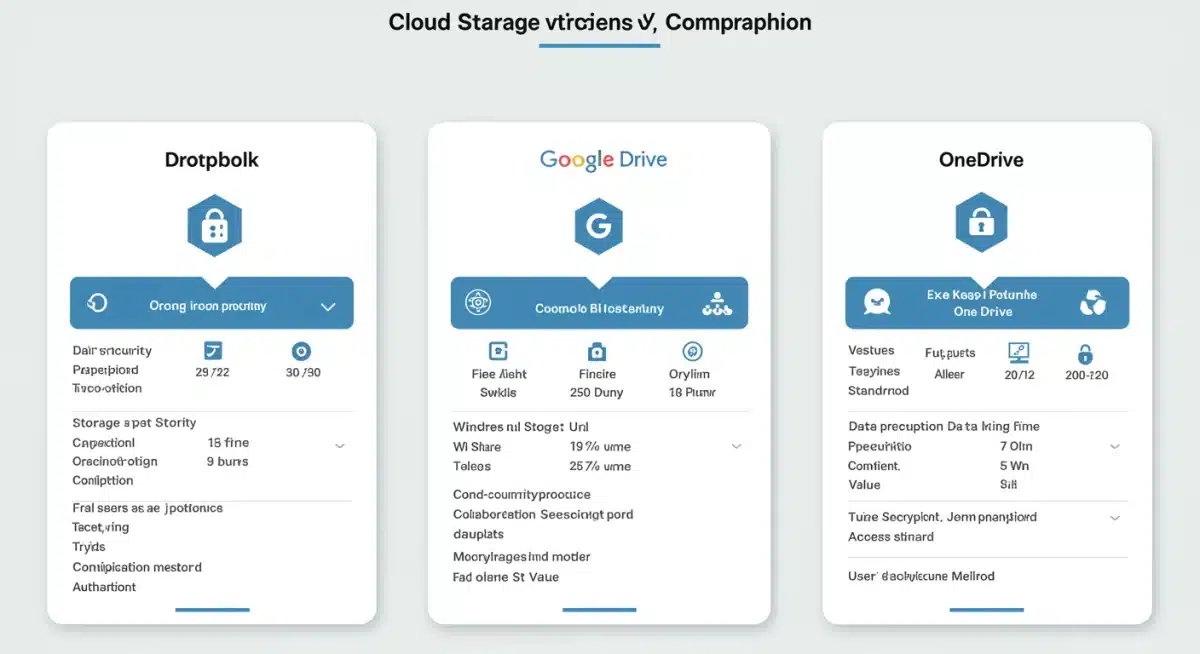
Consider the size of your team, the types of files you handle, the frequency of collaboration, and any industry-specific compliance demands. Each of the leading tools—Dropbox, Google Drive, and Microsoft OneDrive—offers distinct advantages, but the ‘best’ option is ultimately subjective and depends on your unique context. Prioritizing these factors will guide you toward a solution that truly supports your remote work strategy.
Assessing your team’s unique needs and budget
Before committing to a cloud storage provider, conduct a thorough assessment of your team’s requirements. This includes evaluating storage capacity needs, integration with current tools, and the level of technical support required. A mismatch between your needs and the platform’s capabilities can lead to inefficiencies and frustration.
- Storage capacity: Estimate your current and future data storage needs to choose a plan that offers sufficient space without overpaying.
- Integration ecosystem: Identify which other tools your team heavily relies on (e.g., project management software, communication platforms) and ensure seamless integration.
- Budget constraints: Compare pricing models, including per-user costs and storage tiers, to find a solution that fits your financial parameters.
- User experience: Consider the ease of use and learning curve for your team, as intuitive interfaces can significantly boost adoption rates.
Moreover, think about scalability. As your remote team grows, will the chosen cloud storage platform be able to accommodate increased users and data volumes without significant disruption or cost spikes? Future-proofing your decision is a critical aspect of making the right choice.
In essence, the process of choosing the right cloud storage for remote work is a strategic one. By meticulously evaluating your team’s specific requirements, budget, and future growth, you can select a cloud storage solution that not only meets your current needs but also supports your long-term remote work success.
| Key Aspect | Brief Description |
|---|---|
| Collaboration | Seamless co-editing and file sharing are vital for remote team productivity. |
| Security | Encryption, access controls, and compliance are paramount for data protection. |
| Integration | Compatibility with existing tools enhances workflow efficiency. |
| Scalability | Ability to grow with your team’s increasing storage and user needs. |
Frequently asked questions about cloud storage for remote work
Cloud storage is crucial for remote work because it provides centralized access to files, enables real-time collaboration, and ensures data security regardless of geographical location. It eliminates the need for physical servers and allows team members to work efficiently from anywhere, enhancing flexibility and productivity for distributed teams.
Key security features include end-to-end encryption for data in transit and at rest, two-factor authentication (2FA), granular access controls, and regular security audits. Compliance certifications like GDPR or HIPAA are also important, depending on the type of data handled, ensuring legal and ethical data management practices.
Dropbox excels in file synchronization and sharing. Google Drive offers superior real-time co-editing within its Workspace suite. Microsoft OneDrive provides deep integration with Office 365, ideal for teams using Microsoft apps. Each prioritizes collaboration, but their strengths lie in different ecosystems and specific feature sets.
Yes, all three leading cloud storage providers—Dropbox, Google Drive, and Microsoft OneDrive—offer offline access capabilities. You can mark specific files or folders for offline use, allowing you to work on them without an internet connection. Changes will automatically sync once you reconnect to the internet, ensuring continuity in your workflow.
Your choice should be influenced by your team’s size, specific workflow needs, existing software ecosystem, budget, and data security requirements. Consider scalability for future growth, ease of use for team adoption, and the level of customer support offered by the provider to ensure a smooth and effective implementation.
Conclusion
The decision regarding choosing the right cloud storage for remote work in 2025 is a foundational one for any distributed team aiming for sustained productivity and robust security. Whether your team prioritizes the seamless file synchronization of Dropbox Business, the integrated collaborative power of Google Drive for Workspace, or the enterprise-grade features and Office 365 synergy of Microsoft OneDrive, each platform offers unique advantages. Ultimately, the best choice hinges on a thorough assessment of your specific operational needs, existing technological infrastructure, and long-term strategic goals. By carefully weighing these factors, businesses can select a cloud storage solution that not only supports but actively enhances their remote work ecosystem, securing data and fostering efficient collaboration for years to come.