Digital Declutter for Deep Work: 7 Steps to Productivity
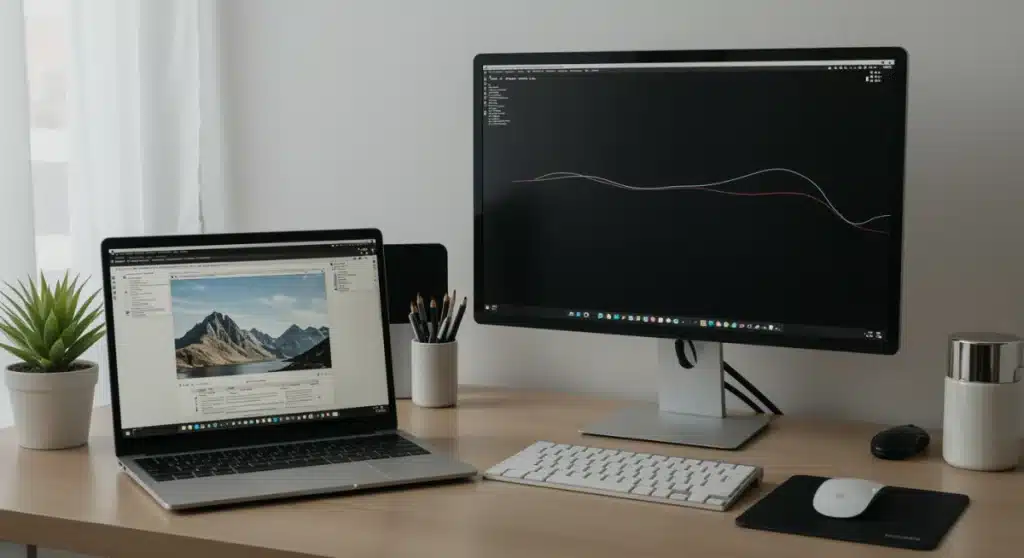
Implementing a strategic digital declutter for deep work in 2025 is essential for optimizing productivity, minimizing distractions, and fostering sustained focus in today’s demanding remote work landscape.
In the rapidly evolving digital landscape of 2025, the ability to engage in sustained, uninterrupted deep work is more valuable than ever. Yet, our digital environments often conspire against us, filled with notifications, cluttered desktops, and an endless stream of information. This guide offers a comprehensive digital declutter for deep work strategy, designed to help you reclaim your focus and optimize your workspace productivity.
Understanding the need for digital declutter
The modern professional’s digital life is a constant battle against information overload. From overflowing inboxes to a myriad of applications vying for attention, the digital realm can quickly become a source of significant distraction, eroding our capacity for deep work. A strategic digital declutter is not merely about tidying up; it’s about intentionally designing an environment that supports sustained concentration and cognitive flow.
Before diving into specific steps, it’s crucial to acknowledge the pervasive impact of digital clutter. Every unread email, every redundant file, and every unnecessary notification chips away at our mental bandwidth. This constant barrage prevents us from allocating our full cognitive resources to complex tasks, leading to superficial engagement and diminished output. Recognizing this impact is the first step toward building a more productive digital future.
The cognitive cost of clutter
Digital clutter imposes a measurable cognitive load. Our brains are constantly processing visual and informational cues, and a chaotic digital workspace forces them to work harder, consuming valuable mental energy that could otherwise be directed towards problem-solving and creative thinking. This phenomenon, often referred to as ‘decision fatigue,’ makes it harder to make sound judgments and maintain focus over time.
- Reduced focus: A cluttered screen or inbox constantly pulls your attention in multiple directions.
- Increased stress: The feeling of being overwhelmed by digital tasks can lead to higher stress levels.
- Lower productivity: Switching between tasks due to notifications significantly reduces efficiency.
- Diminished creativity: A chaotic environment stifles the mental space needed for innovative thought.
By understanding these costs, we can appreciate that a digital declutter is not a luxury but a fundamental requirement for anyone aspiring to excel in deep work. It’s about creating an intentional space where your mind can thrive, unburdened by digital noise.
Step 1: Audit your digital ecosystem
The initial phase of any effective digital declutter involves a thorough audit of your entire digital ecosystem. This means taking an honest look at all the digital platforms, applications, and files you interact with daily. The goal is to identify what serves your productivity and what merely adds to the noise. This might feel daunting at first, but a systematic approach ensures nothing is overlooked.
Begin by listing every device you use for work, from your primary computer to your smartphone and tablet. For each device, enumerate all installed applications, browser extensions, and cloud services. This comprehensive inventory provides a clear picture of your current digital footprint, highlighting areas ripe for optimization. Don’t shy away from confronting those apps you rarely use but keep ‘just in case.’
Categorizing digital assets
Once you have your inventory, categorize each item based on its utility and frequency of use. A simple framework can be highly effective here:
- Essential: Tools critical for your core job functions (e.g., project management software, communication platforms).
- Useful but not essential: Applications that aid productivity but could be replaced or streamlined.
- Distracting: Social media, news aggregators, or entertainment apps that often pull you away from deep work.
- Obsolete/Redundant: Old files, duplicate software, or services you no longer use.
This categorization helps in making informed decisions about what to keep, optimize, or eliminate. The objective is to cultivate a digital environment where every element has a clear purpose and contributes positively to your deep work goals. A systematic audit lays the foundation for all subsequent decluttering efforts, ensuring a targeted and impactful approach.
Step 2: Streamline your digital communication
Digital communication, while essential for remote work, is often the biggest culprit behind constant interruptions and fragmented attention. An overflowing inbox, incessant chat notifications, and endless virtual meetings can quickly derail any attempt at deep work. Therefore, streamlining your digital communication channels is a critical step in achieving a truly decluttered workspace.
Start with your email. Implement a rigorous system for processing emails, aiming for an ‘inbox zero’ approach where possible. This doesn’t mean responding to every email immediately, but rather categorizing, archiving, or delegating emails so your inbox serves as a task list, not a storage unit. Unsubscribe from newsletters and promotional emails that don’t add direct value to your work or personal life. Consider using email rules and filters to automatically sort incoming messages, ensuring that critical communications stand out.
Managing notifications and alerts
Notifications are perhaps the most insidious disruptors of deep work. Each ping, buzz, or pop-up pulls your attention away, forcing your brain to context-switch, which is highly inefficient. Take control of your notifications across all devices and applications.
- Disable non-essential notifications: Turn off alerts for social media, news apps, and any communication channels that don’t require immediate attention.
- Schedule notification checks: Designate specific times throughout your workday to check emails and messages, rather than responding reactively.
- Utilize ‘do not disturb’ modes: Leverage your device’s focus modes to silence all interruptions during dedicated deep work sessions.
By intentionally managing your digital communication, you create boundaries that protect your focus and allow for extended periods of uninterrupted work. This proactive approach transforms communication from a reactive burden into a controlled, efficient process, supporting your deep work endeavors.
Step 3: Organize your files and cloud storage
A disorganized file system, whether on your local drive or in the cloud, can be a significant drag on productivity. Searching for misplaced documents, duplicating files due to uncertainty, and navigating through chaotic folders wastes valuable time and mental energy. The third step in your digital declutter journey involves creating a logical, intuitive system for all your digital assets.
Begin by consolidating all your work-related files into a single, primary cloud storage solution if you haven’t already. This centralizes access and simplifies backup. Next, establish a consistent folder structure. Think about how you logically access information and mirror that in your digital hierarchy. For instance, top-level folders might be ‘Projects,’ ‘Clients,’ ‘Admin,’ and ‘Resources,’ with subfolders organized by year, client name, or project phase.
Naming conventions and regular maintenance
Consistency in naming conventions is just as important as folder structure. Develop a clear system for naming files that includes relevant details like date, project name, and version number. This makes files easily searchable and identifiable at a glance. For example, ‘ProjectX_Report_2025-01-15_v3.docx’ is far more informative than ‘Report.docx.’
- Adopt a consistent naming convention: Use a standard format for all new files.
- Delete duplicates and old versions: Regularly purge redundant or outdated documents.
- Archive completed projects: Move finished project files to an archive folder to keep active workspaces clean.
- Utilize tagging and metadata: Enhance searchability by adding relevant tags or metadata where supported by your cloud service.
Establishing and maintaining a well-organized file system reduces cognitive friction, allowing you to quickly locate information and dedicate more time to deep work. This systematic approach ensures that your digital assets are a source of efficiency, not frustration.
Step 4: Optimize your digital workspace aesthetics
Just as a clean physical desk can promote a sense of calm and focus, an optimized digital workspace aesthetic can significantly impact your ability to engage in deep work. This step goes beyond merely decluttering; it involves intentionally designing your digital environment to be visually appealing, distraction-free, and conducive to concentration. Think of it as creating a minimalist sanctuary for your mind.
Start with your desktop background. Choose a simple, calming image or a solid color rather than a busy pattern that competes for your attention. Limit the number of icons on your desktop to only the most frequently used applications or folders. Ideally, aim for a completely clean desktop, relying on your operating system’s search function or a dock/taskbar for application access. This reduces visual clutter and provides a clear canvas for your work.

Consider your browser experience. Install ad-blockers and extensions that simplify web pages, removing extraneous elements that can distract from content. Use a tab management extension to keep your open tabs organized and prevent tab overload. Close unnecessary tabs immediately after you’ve finished with them, or group them logically for later review. A streamlined browser reduces the temptation to wander off task.
Managing application interfaces
- Minimize open applications: Only keep applications open that are essential for your current task.
- Utilize full-screen modes: Work in full-screen mode for individual applications to eliminate peripheral distractions.
- Customize themes and layouts: Choose minimalist themes for your operating system and applications that reduce visual noise.
- Organize your taskbar/dock: Pin only your most critical applications for quick access, keeping the rest hidden.
By consciously curating the visual elements of your digital workspace, you create an environment that supports sustained attention and minimizes cognitive load. An aesthetically pleasing and uncluttered digital space is a powerful tool for fostering deep work and enhancing overall productivity.
Step 5: Review and curate your digital tools
As remote professionals, we often accumulate a vast array of digital tools, each promising to boost productivity. However, an excessive number of tools can lead to fragmentation, context-switching, and unnecessary complexity. Step five involves a critical review and curation of your digital toolkit to ensure that every application serves a clear purpose and contributes efficiently to your workflow.
Begin by listing all the software and online services you use regularly. For each tool, ask yourself: Is this truly essential for my work? Does it integrate well with my other tools? Is there a simpler, more consolidated alternative? You might discover that you’re paying for redundant services or using multiple apps to achieve what one comprehensive tool could accomplish. The goal is to reduce cognitive overhead by simplifying your digital stack.
Consolidating and optimizing
Where possible, consolidate functions. For example, if you’re using separate apps for task management, note-taking, and project planning, explore integrated solutions that combine these functionalities. This reduces the number of interfaces you need to learn and manage, streamlining your workflow. Don’t be afraid to uninstall or cancel subscriptions for tools that no longer serve a vital role.
- Evaluate tool necessity: Regularly assess if each tool is still crucial for your workflow.
- Seek integrated solutions: Prioritize tools that combine multiple functions to reduce app switching.
- Delete unused applications: Uninstall software you haven’t used in the last 3-6 months.
- Learn keyboard shortcuts: Master shortcuts for your essential tools to enhance efficiency and reduce mouse dependence.
Curation is an ongoing process. Periodically re-evaluate your digital tools to ensure they continue to meet your evolving needs without introducing unnecessary complexity. A lean, optimized toolkit empowers you to work more efficiently and dedicate more mental energy to deep work tasks.
Step 6: Implement digital detox periods
While decluttering your digital environment is crucial, equally important is the practice of stepping away from it entirely. Implementing regular digital detox periods is not just about reducing screen time; it’s about giving your mind a break, allowing for mental replenishment, and fostering creativity that often emerges when disconnected. This step is vital for sustaining deep work capacity and preventing burnout.
Digital detox periods can take many forms. They can be short, focused breaks during your workday, such as a 15-minute walk without your phone. They can also be longer, more intentional periods, like dedicating evenings or weekends to activities completely disconnected from screens. The key is to consciously create space for your mind to disengage from the constant stimulation of the digital world.
Strategies for effective detox
To make digital detox effective, it needs to be intentional and structured. Just deciding to ‘use less screen time’ often isn’t enough. Specific strategies can help you build this habit:
- Scheduled breaks: Integrate short, screen-free breaks into your daily routine (e.g., 5 minutes every hour).
- “Tech-free” zones: Designate certain areas of your home (e.g., bedroom, dining table) as strictly no-device zones.
- Weekend unplugging: Dedicate a portion of your weekend, or even an entire day, to being completely offline.
- Mindful activity engagement: Replace screen time with activities like reading physical books, exercising, or spending time in nature.
These periods of disconnection allow your brain to process information, consolidate memories, and engage in diffuse thinking, which is crucial for problem-solving and creative insights. By actively detaching from digital devices, you return to your work with renewed focus and a clearer mind, making your deep work sessions more effective.
Step 7: Establish a maintenance routine for 2025
Digital decluttering is not a one-time event; it’s an ongoing commitment. To ensure your digital workspace remains optimized for deep work throughout 2025 and beyond, establishing a consistent maintenance routine is paramount. Without regular upkeep, clutter will inevitably creep back in, undoing all your hard work. This final step is about embedding decluttering habits into your weekly and monthly workflows.
Dedicate a small amount of time each week—perhaps 30 minutes on a Friday afternoon or Monday morning—to a ‘digital hygiene’ check. During this time, review your desktop, downloads folder, and inbox. Delete unnecessary files, archive completed emails, and close unused browser tabs. This proactive approach prevents small bits of clutter from accumulating into an overwhelming mess.
Scheduled deep cleanings and reviews
In addition to weekly checks, schedule more comprehensive monthly or quarterly digital deep cleanings. These longer sessions can be used for:
- Software audits: Reviewing and uninstalling unused applications.
- File system reorganization: Ensuring your folder structure is still logical and relevant.
- Subscription reviews: Canceling services you no longer need.
- Notification recalibration: Adjusting notification settings as your work priorities change.
By integrating these maintenance routines into your schedule, you ensure that your digital environment consistently supports your deep work goals. A well-maintained digital workspace is a powerful asset, allowing you to sustain high levels of productivity and focus throughout the year, making your efforts in digital declutter for deep work truly enduring.
| Key Step | Brief Description |
|---|---|
| Audit Digital Ecosystem | Inventory all digital tools and files to identify and categorize their utility and necessity. |
| Streamline Communication | Manage emails and notifications proactively to minimize interruptions and context-switching. |
| Organize Files | Establish a consistent folder structure and naming convention for all local and cloud files. |
| Digital Detox | Implement regular periods of disconnection from screens to recharge mental energy and foster creativity. |
Frequently asked questions about digital declutter for deep work
Digital decluttering is the process of organizing and optimizing your digital environment to reduce distractions and improve focus. It’s crucial for deep work because it minimizes cognitive load, allowing your brain to concentrate on complex tasks without constant interruptions, thereby enhancing productivity and mental clarity.
While an initial comprehensive declutter is beneficial, it’s best to adopt a continuous maintenance routine. Aim for a quick weekly check-in (15-30 minutes) and a more thorough monthly or quarterly deep clean. This prevents clutter from accumulating and ensures your digital workspace remains optimized.
Immediately, you’ll experience fewer interruptions, reduced context-switching, and a calmer mental state. By managing notifications and scheduling communication checks, you regain control over your attention, allowing for longer periods of uninterrupted focus and more efficient task completion, which is vital for deep work.
Absolutely. By reducing mental clutter and creating space for focused thought, digital decluttering frees up cognitive resources. This allows your mind to engage in diffuse thinking, fostering new connections and insights essential for creative problem-solving and innovation, leading to better quality work.
Digital detox periods are critical for mental rejuvenation. They provide necessary breaks from constant digital stimulation, allowing your brain to rest and process information. This disconnection helps prevent burnout, improves sleep quality, and enhances your ability to return to deep work with renewed energy and sharper focus.
Conclusion
Embracing a comprehensive digital declutter for deep work strategy is not merely a trend but a fundamental necessity for thriving in the modern remote work environment of 2025. By systematically auditing your digital ecosystem, streamlining communication, organizing files, optimizing aesthetics, curating tools, implementing detox periods, and establishing a robust maintenance routine, you can transform your digital workspace into a sanctuary for sustained focus and unparalleled productivity. This intentional approach empowers you to reclaim your attention, enhance your cognitive capacity, and ultimately achieve higher levels of output and job satisfaction. The journey towards a decluttered digital life is an ongoing one, but the rewards—increased efficiency, reduced stress, and profound engagement with your work—are immeasurable.